MOBILE APP · ANDROID AND iOS
Space Access
One app for doors, devices and people: from a single flat to a hotel, an office or a portfolio of rental units. Space Access works on the same Space Engine and the same permissions as the SPACE INTELLIGENCE web platform.
- Locks, hubs, lights, climate and scenes in one place
- Opening remotely from anywhere in the world with internet, and at the door with PIN codes, cards, face, palm, Bluetooth keys and QR codes for guests
- Work profiles for homes, offices, hotels, short- and long-term rentals and property managers
EVERYDAY USE
Five tabs, everything at hand
The app is organised the same way in every profile, so the team finds things in the same place.
Home
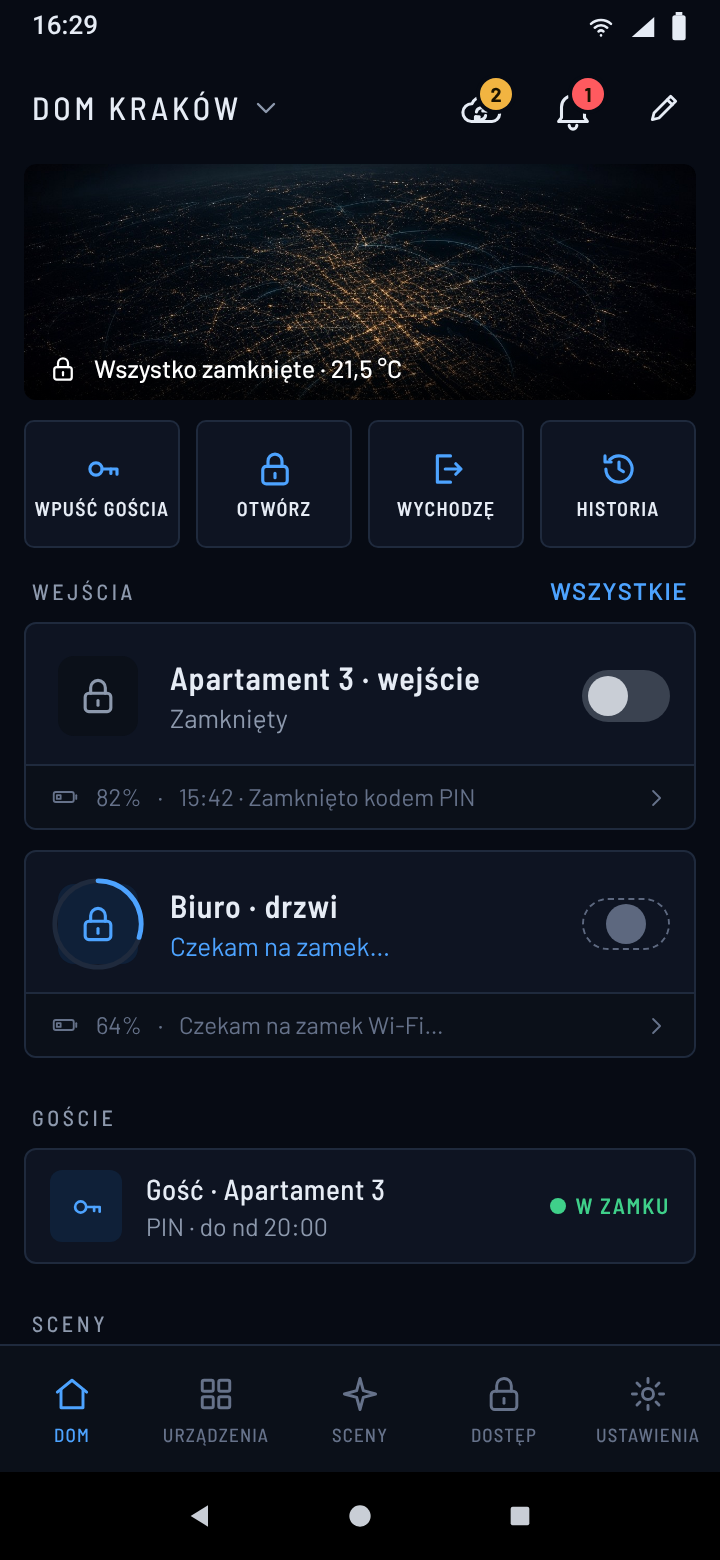
Status of the whole property at a glance: entrances, lights, climate, today’s guests and quick actions such as Let a guest in, Open, I’m leaving and History.
Devices
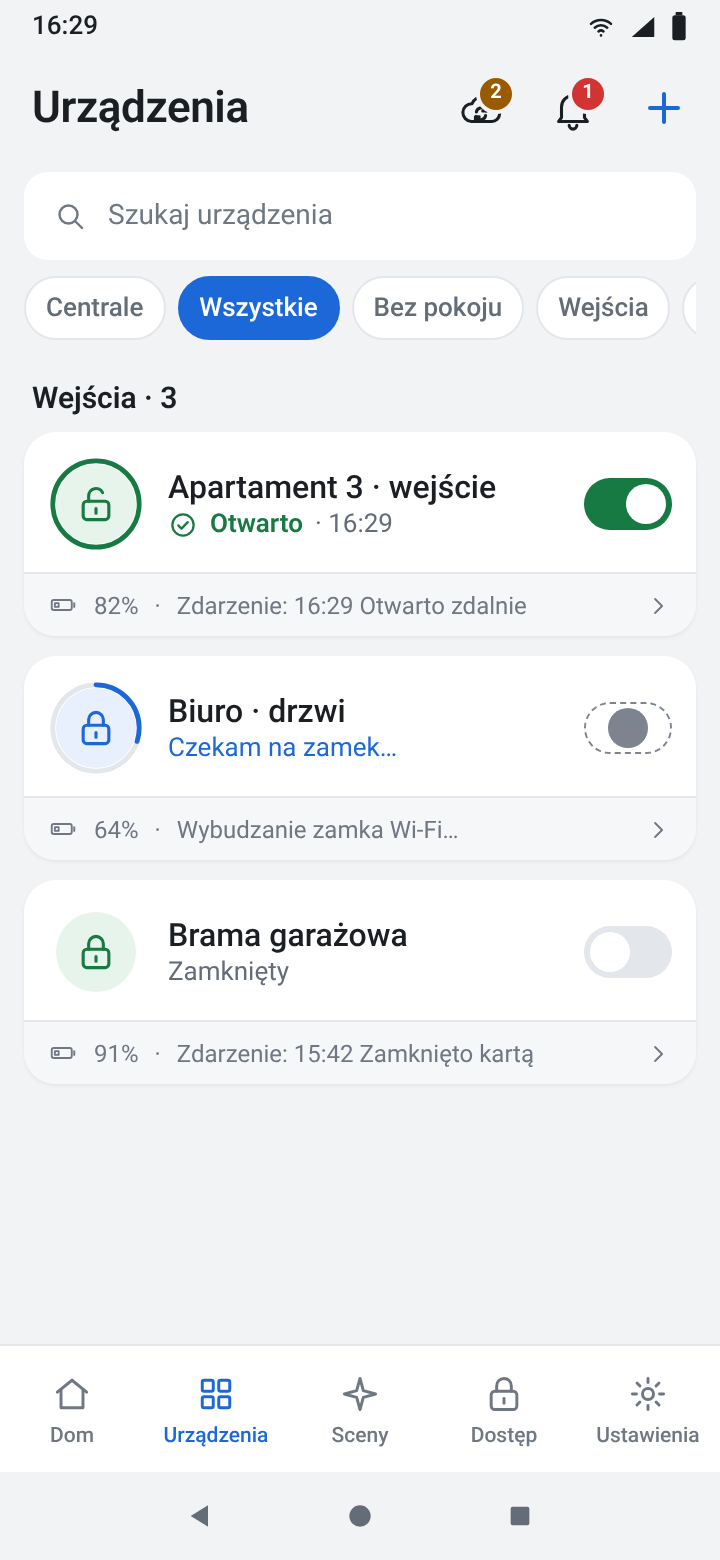
Locks, hubs, lights, blinds and climate grouped by room and type. Battery, signal and the last event on every tile, with the real command state: queued, waiting for the lock, done.
Scenes
Scenes such as Good night, I’m leaving or I’m home switch lights, climate and locks with one tap. Scenes saved on the hub keep working without the internet.
Access
People and credentials in one list: PIN codes, one-time codes, cards, fingerprint, face, palm, Bluetooth keys and QR codes. Every permission can have dates, days of the week and hours.
Settings
Work profile, appearance, language, message templates, notifications and the sync queue with the cloud. Account and session management in one place.
Notifications and history
Events in plain language instead of codes: who opened which door and how, low battery, an offline hub. Every change is recorded in the history.
WORK PROFILES
The app adapts to the way you work
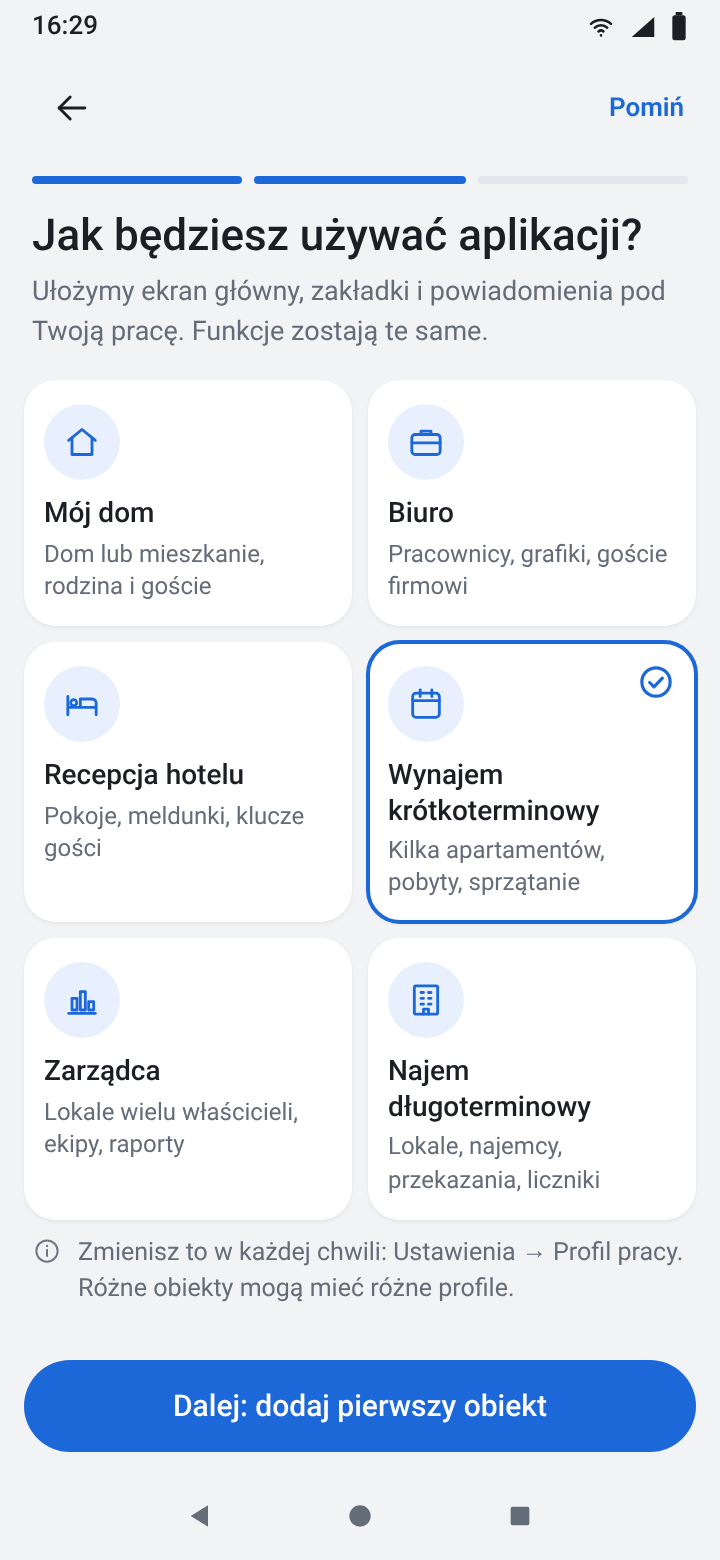
At the first start you choose a profile. The home screen, tabs and notifications follow it, while all functions stay available. Each property can have its own profile.
My home
Family, household help and guests; scenes and a quick Let a guest in.
Office
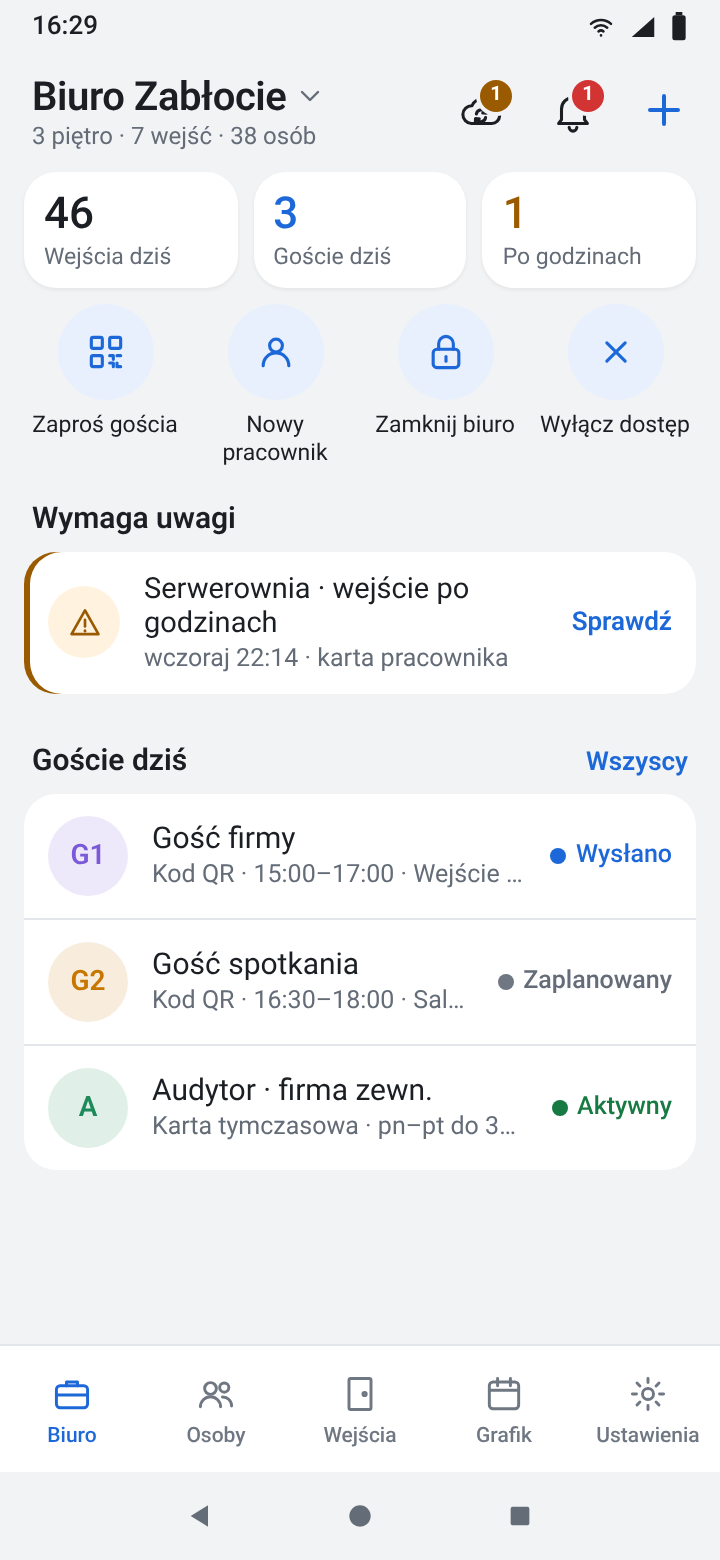
Employees, schedules, business guests with QR codes, closing the office and after-hours alerts.
Hotel reception
Room board, check-in with a card or code, stay extension and check-out.
Apartment owner and short-term rental
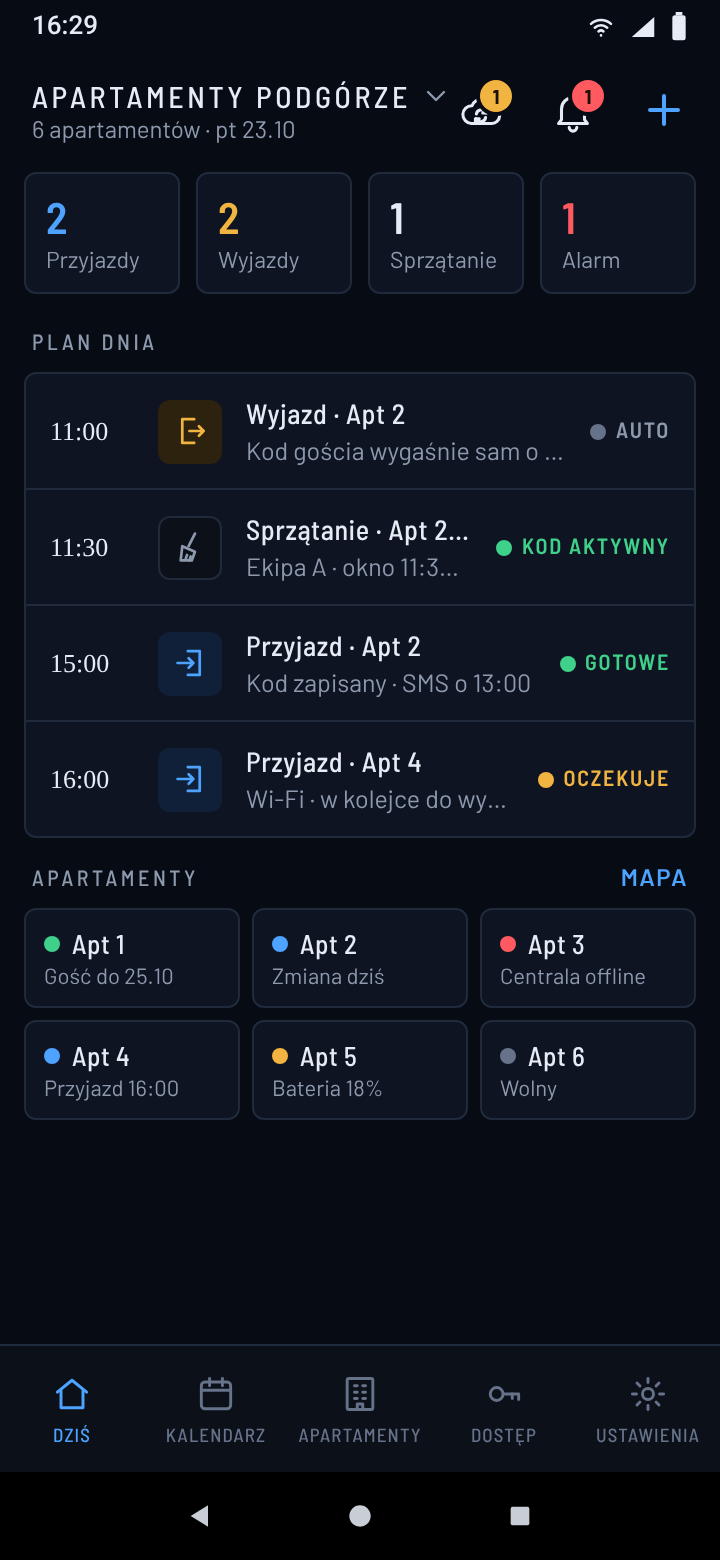
Today’s plan: arrivals, departures and cleaning, guest codes that expire on their own, a calendar from booking portals.
Property manager
Units of many owners, service crews with time windows, alarms and reports per owner.
Long-term rental
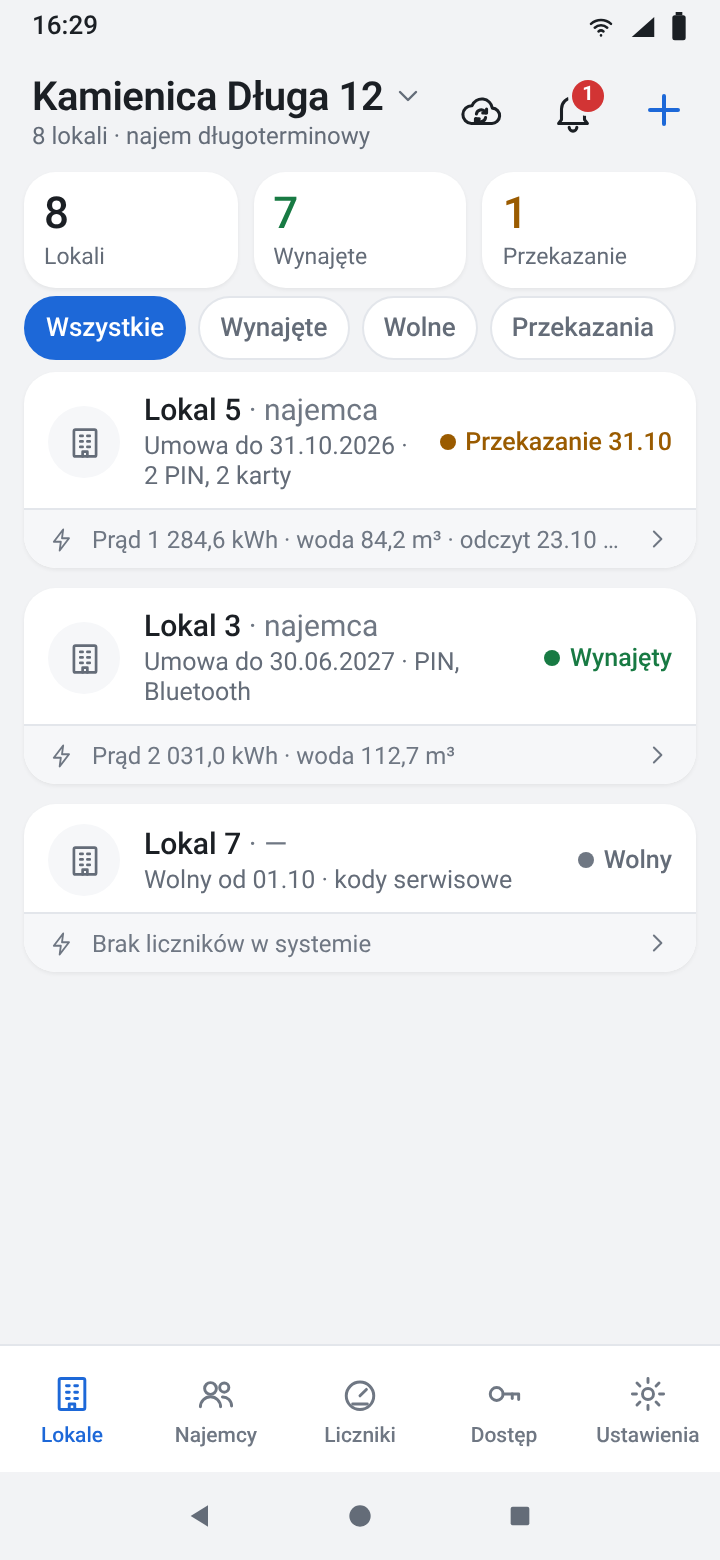
Units, tenants and contracts, key handovers, meter readings and service codes for vacant units.
HOTELS AND RENTALS
Reception board
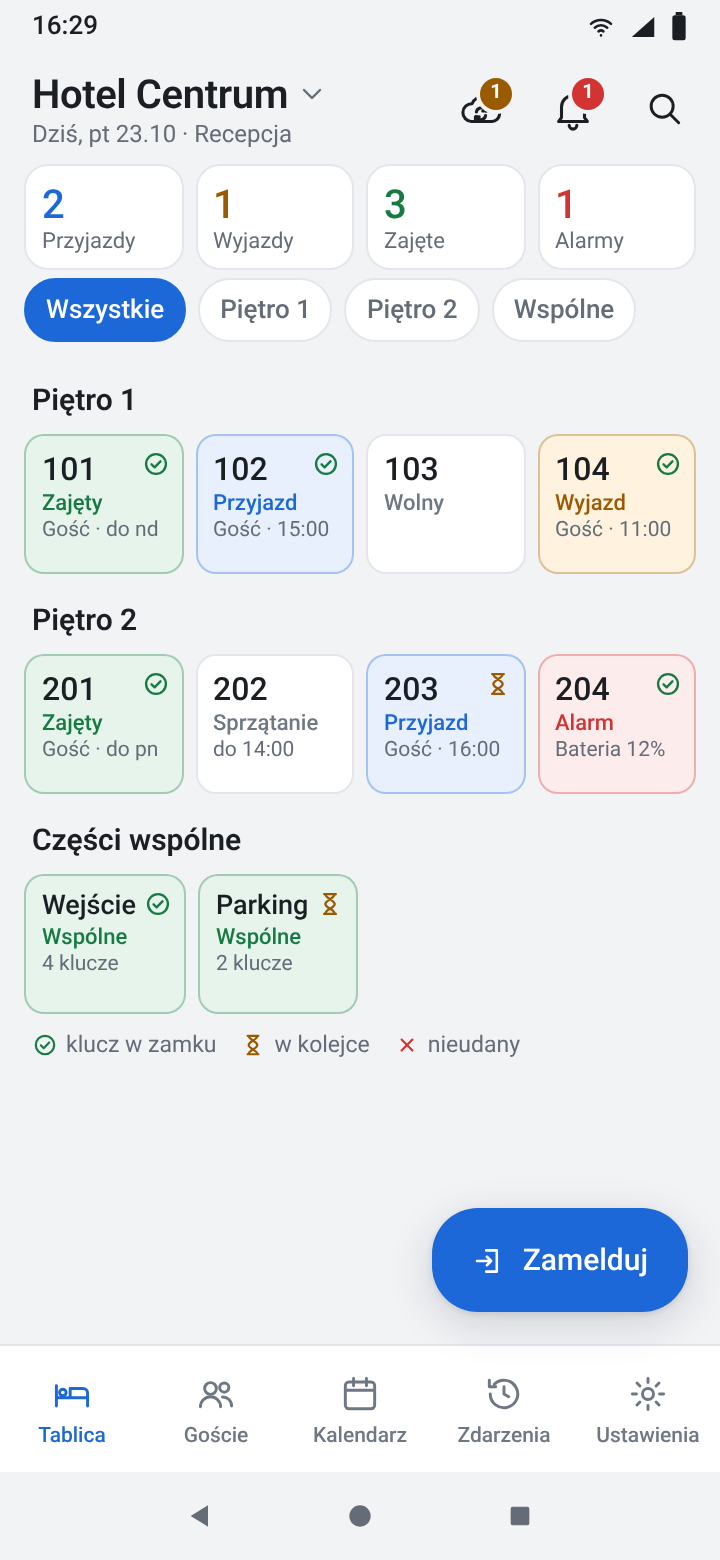
All rooms or apartments on one screen, as a grid or a timeline. Counters for arrivals, departures, occupied rooms and alarms work as filters.
- Check-in with live status: queued, waiting, in the lock, failed
- Extend a stay, check out and an emergency key in the unit sheet
- Common areas such as the entrance and parking, with their keys
- Sharing the code with the guest after the lock confirms it
- Kiosk mode for the reception desk: settings and deleting are locked
CARDS
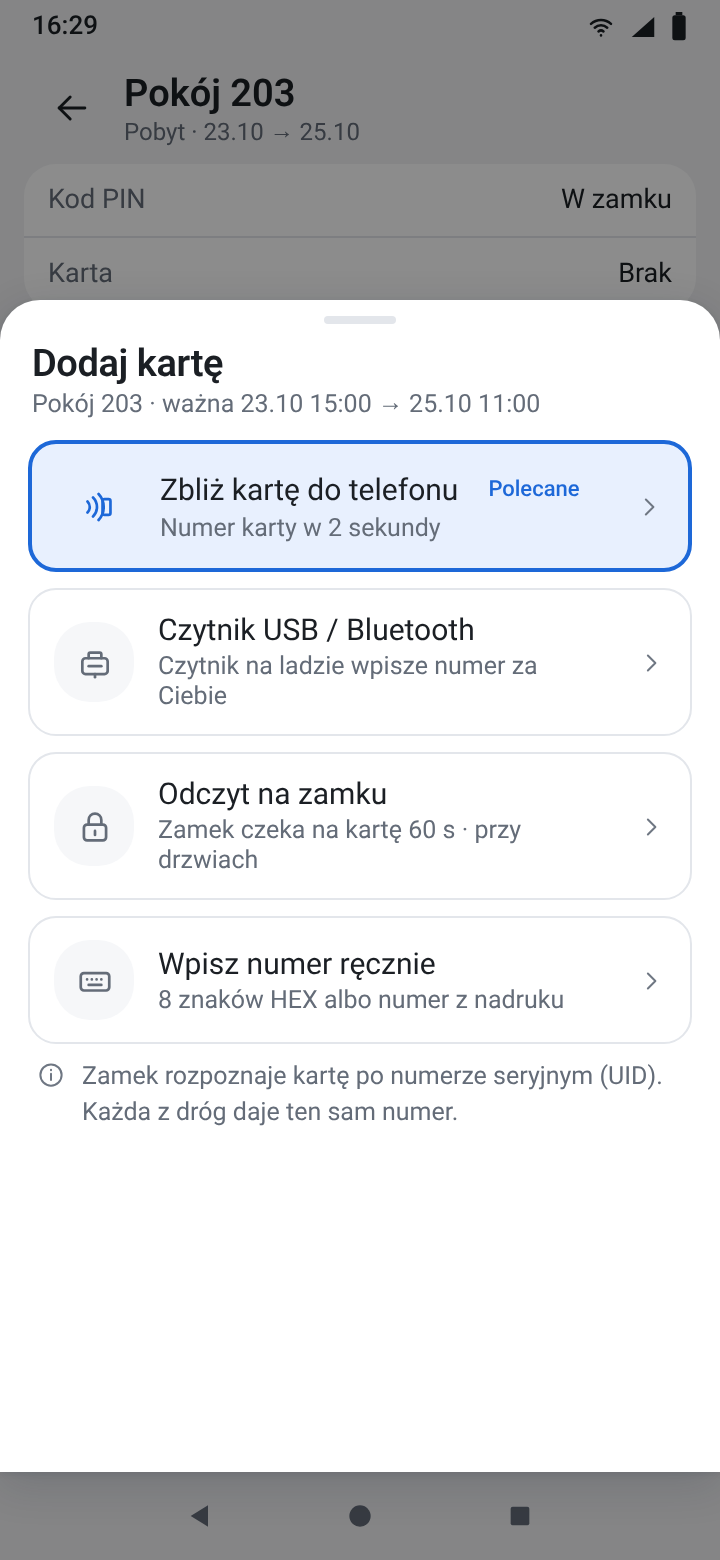
Add a card in four ways
Every way gives the same card number, so the lock always recognises the card.
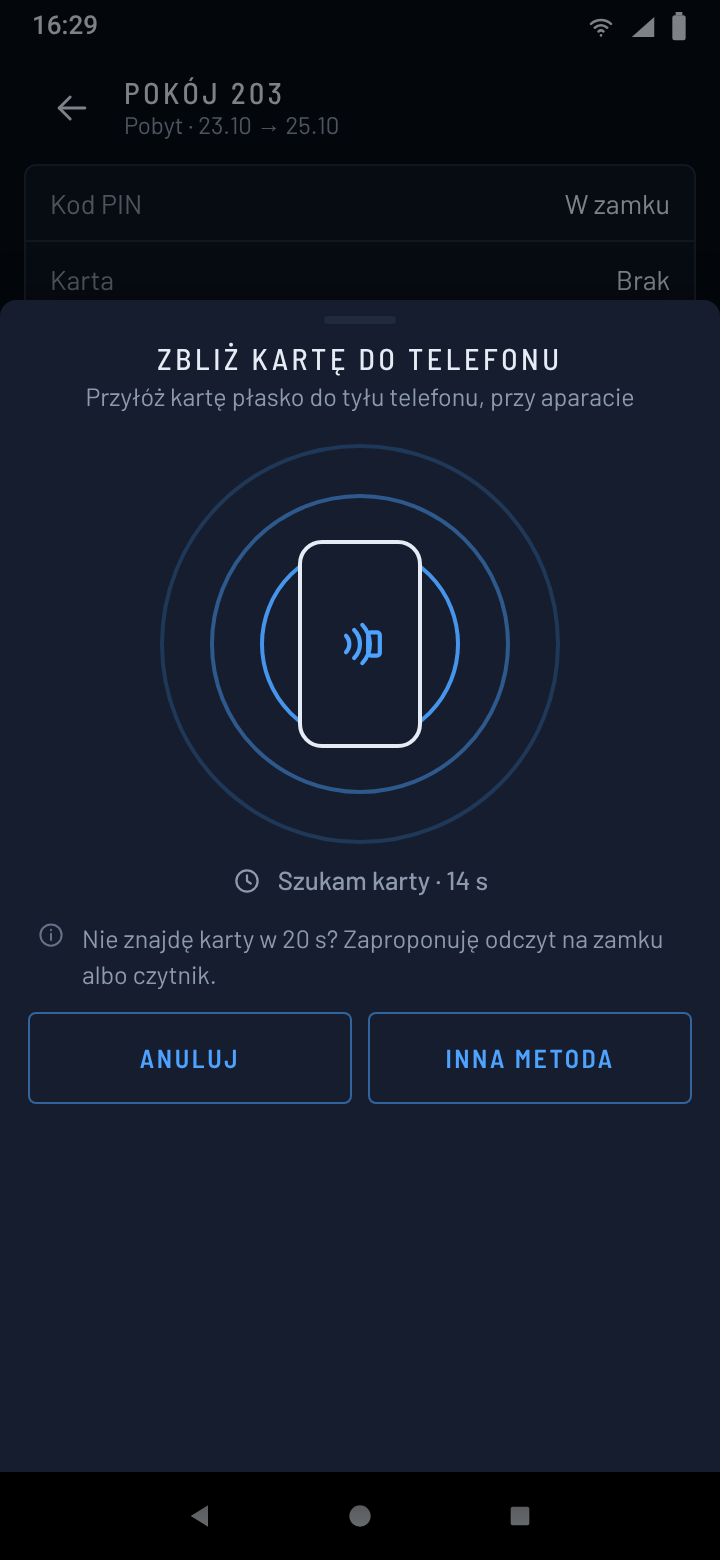
- Hold the card to the phone: the NFC reader of the phone, tablet or watch reads the number in two seconds
- USB or Bluetooth desk reader that types the number for you, calibrated with one card
- Read the card on the lock itself
- Type the number by hand, with automatic format checks
- MIFARE cards, including MIFARE DESFire EV3 with AES keys issued per card by a SPACE key service, never stored in the app
BOOKINGS
Calendars from booking portals
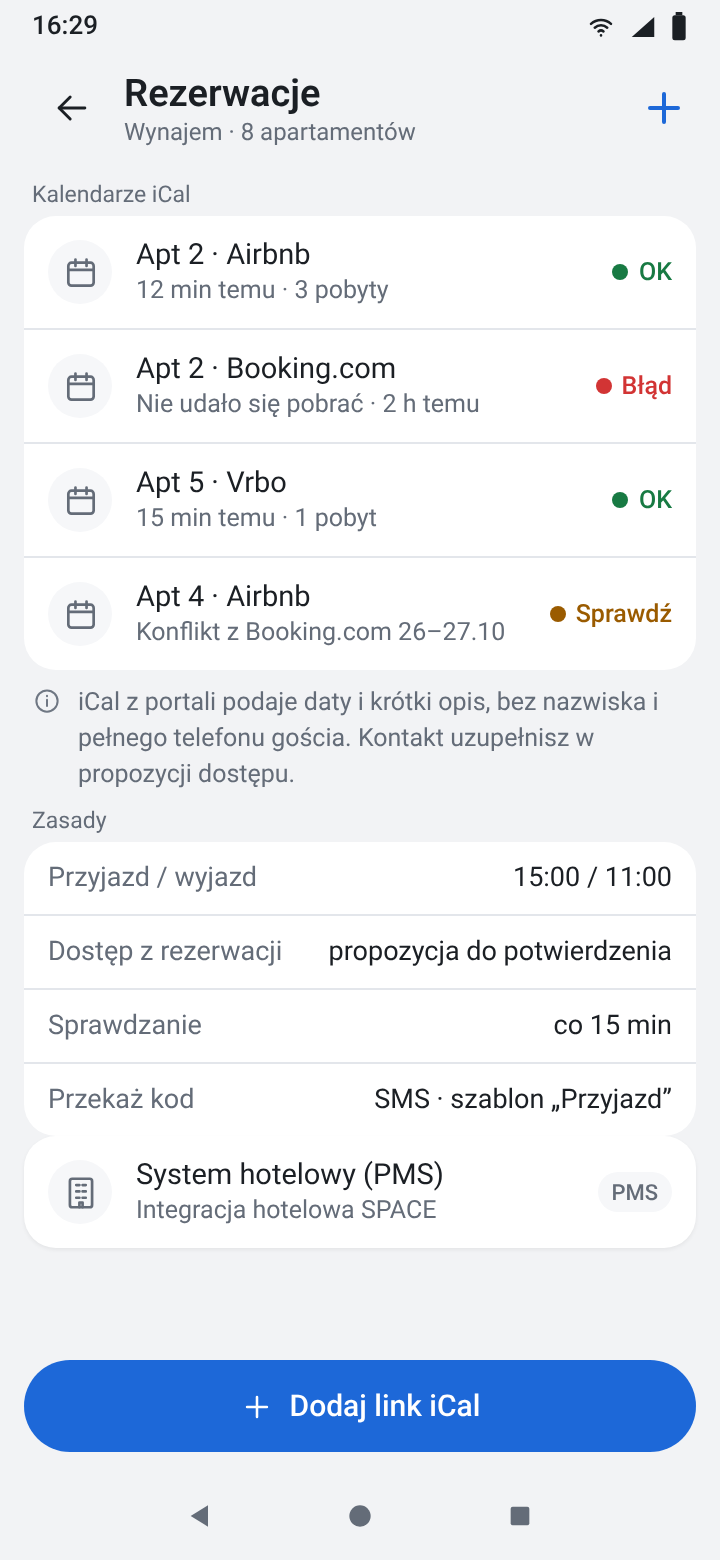
Paste the iCal link of a unit from Booking.com, Airbnb, Vrbo, Google Calendar or any other portal. Stays appear on the timeline, and every booking becomes a proposed access that you confirm with one tap.
- Automatic refresh and duplicate detection across portals
- Conflicts and cancelled stays flagged on the board
- Default arrival and departure hours and a message template for the code
- Nothing is created without your confirmation, and automatic access never gets administrator rights
RELIABLE CLOUD PROGRAMMING
Readiness check and master credentials
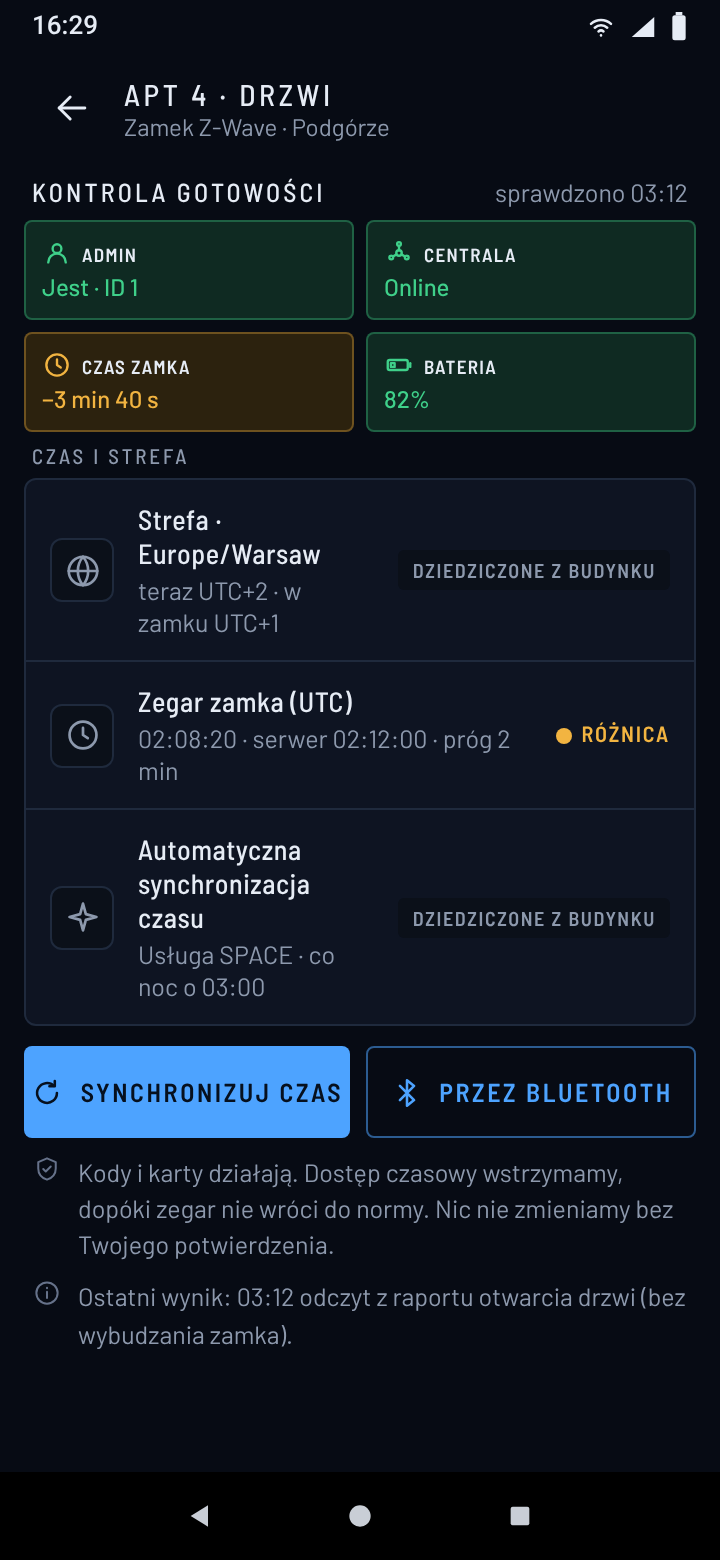
Before any change is sent from the cloud, the app checks that the lock can receive it.
- Status chips on every lock: administrator, hub online, lock time and battery
- Time zone set once for the building and inherited by its locks; a nightly time check, automatic correction and a reminder before every clock change
- Set the lock time over Bluetooth while standing at the door
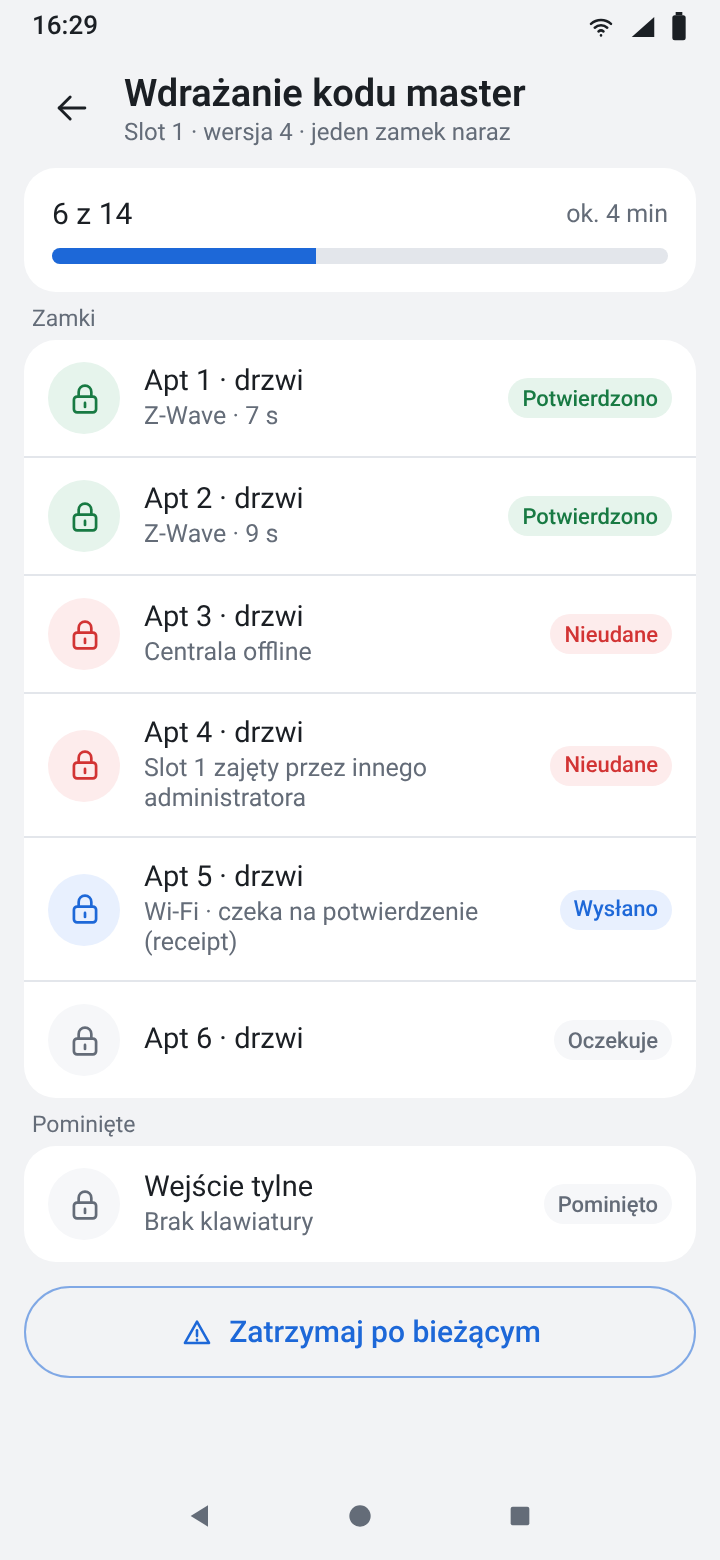
- Administrator slots 1–9 with a clear red marker; any credential type can be an administrator, but only by an explicit choice
- Master code, master card or master face for the whole building, sent lock by lock with a progress list, a summary such as 12 of 14 locks OK, Retry failed and a communication report
APPEARANCE AND LANGUAGES
Classic or Mission, light or dark
Two styles: the clean Classic and SPACE Mission with the look of a mission control room. Each in light, dark or system mode.
- 16 languages, including Polish, English, German, Ukrainian, Spanish and Portuguese
- Arabic with a full right-to-left layout
- Phones, tablets and watches with Android, and iPhone
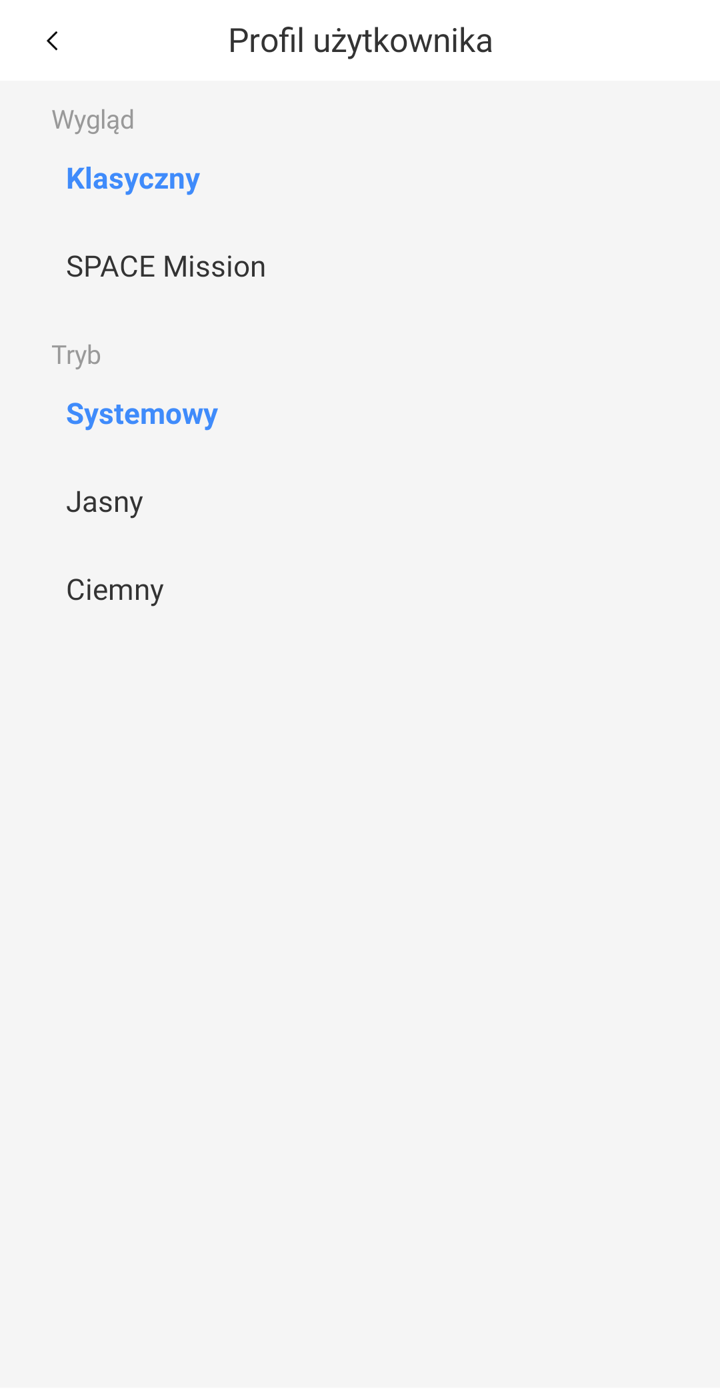
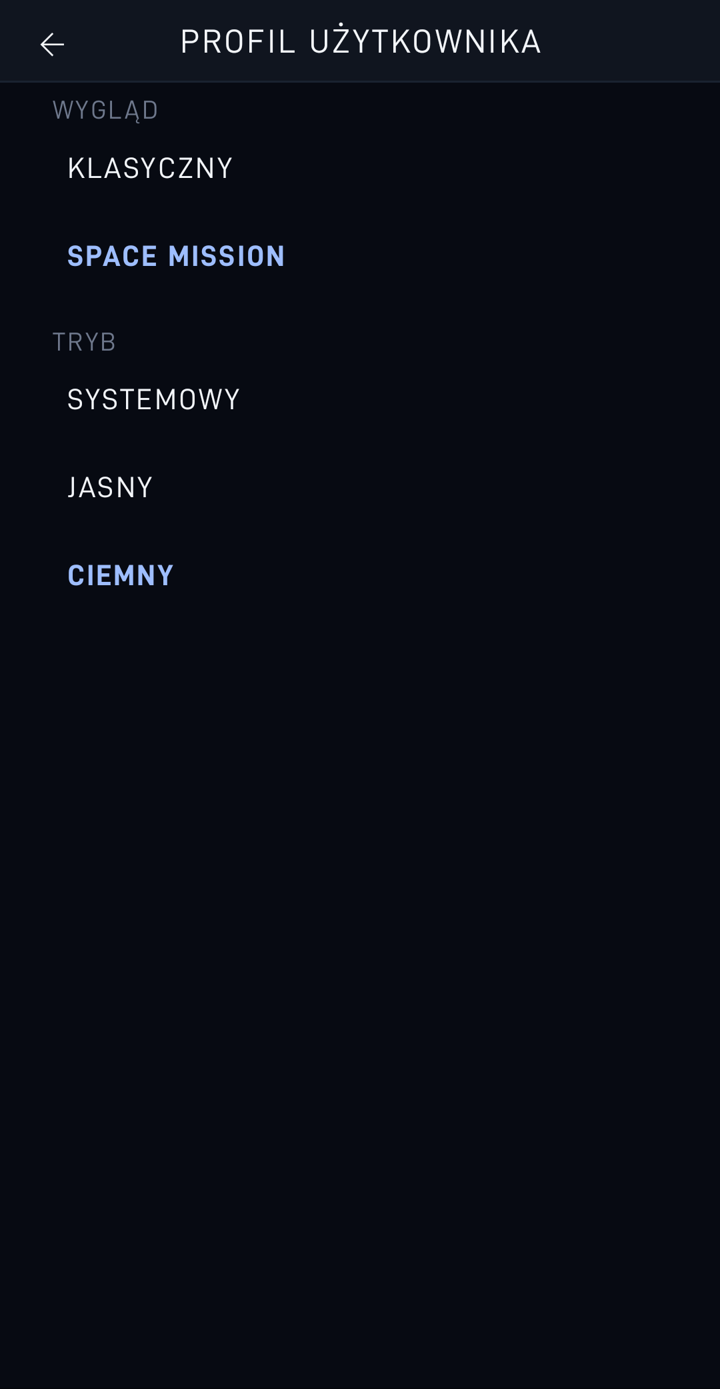
Screens marked Visualisation show the app design with sample data. Screens marked App screen come from the app.
THREE APPS, ONE ECOSYSTEM
Which app is for whom
MOBILE APP
Space Access
For residents, guests, staff and property managers who open doors and handle people and devices on Space Engine.
You are here
WEB PLATFORM
SPACE INTELLIGENCE
For operators and administrators who manage buildings, portfolios and reports from a web browser.
MOBILE APP · CURRENT CLIENTS
SpaceBMS Manager
For current clients with SpaceBMS Z-Wave, Z-Wave + Bluetooth and Wi-Fi + Bluetooth locks: opening remotely from anywhere with internet or by Bluetooth/QR at the door, lock users, sharing and event history.
See Space Access in action
We will show the app on your type of property: a home, an office, a hotel or rental units.