SPACE INTELLIGENCE · MARKETSPACE
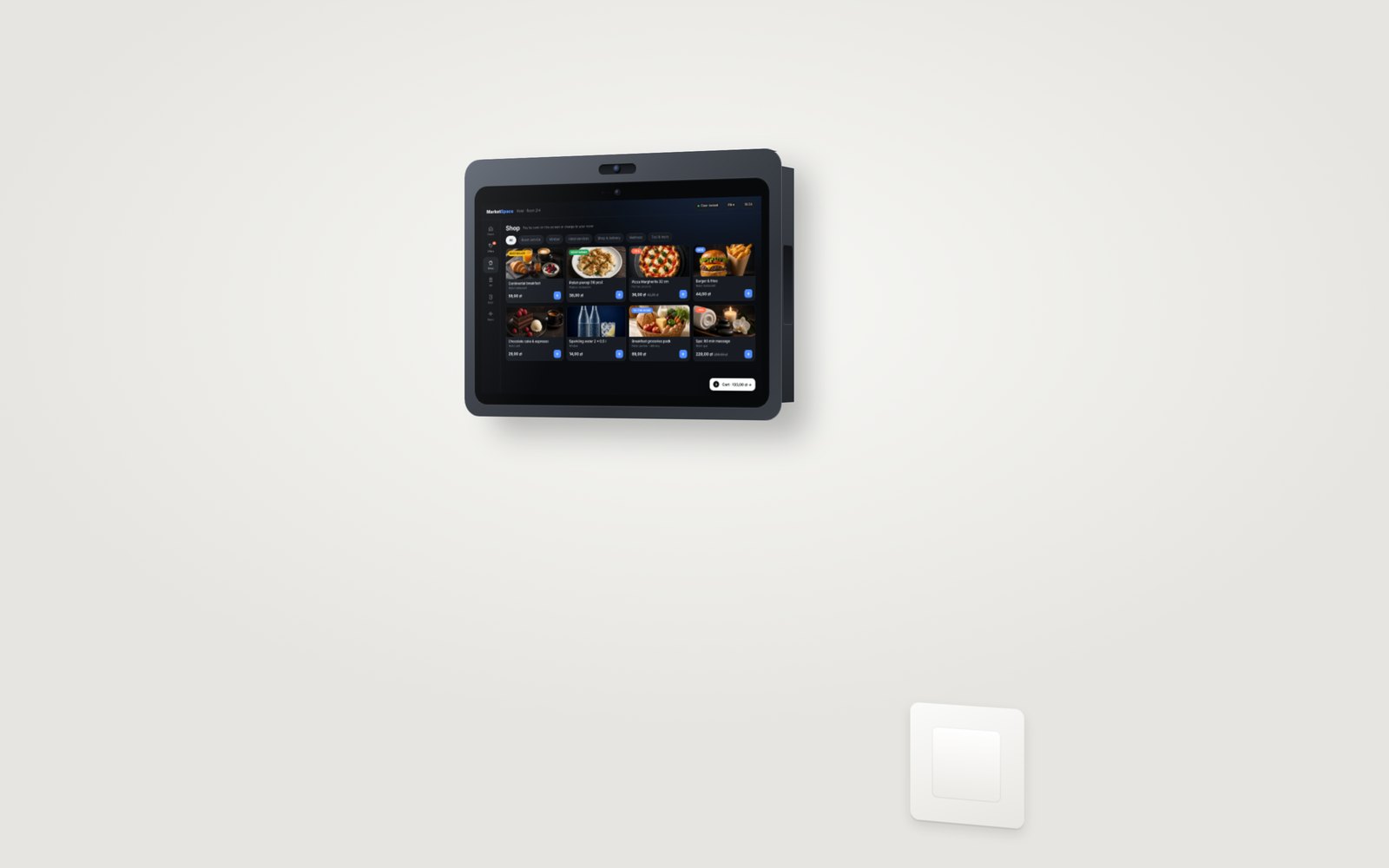
MarketSpace in-room screen
An 11-inch Android smart payment screen for the wall, desk, bedside or door leaf. Concierge, shop, door and payment in one device, on the same SPACE platform as the lock and intercom.
Availability
01
Available now
Door/wall and desk versions with ordering, services, room control and access. Guests pay directly on the screen: tap a card, phone or smartwatch (tap to pay), or charge the order to the room bill.
02
PIN on the screen: planned for 2027
Accepted: Visa, Mastercard, Maestro, American Express, BLIK, Apple Pay, Google Pay and DCC (payment in the card's currency). Card payments with the PIN entered on the screen are on the roadmap for 2027.
03
One base, one software
The door screen and the payment version use the same base device and the same MarketSpace software; SPACE adds the backs, housings and modules.
The guest flow: home, offers, shop, cart
What the guest sees on the MarketSpace screen, from the first touch to payment.
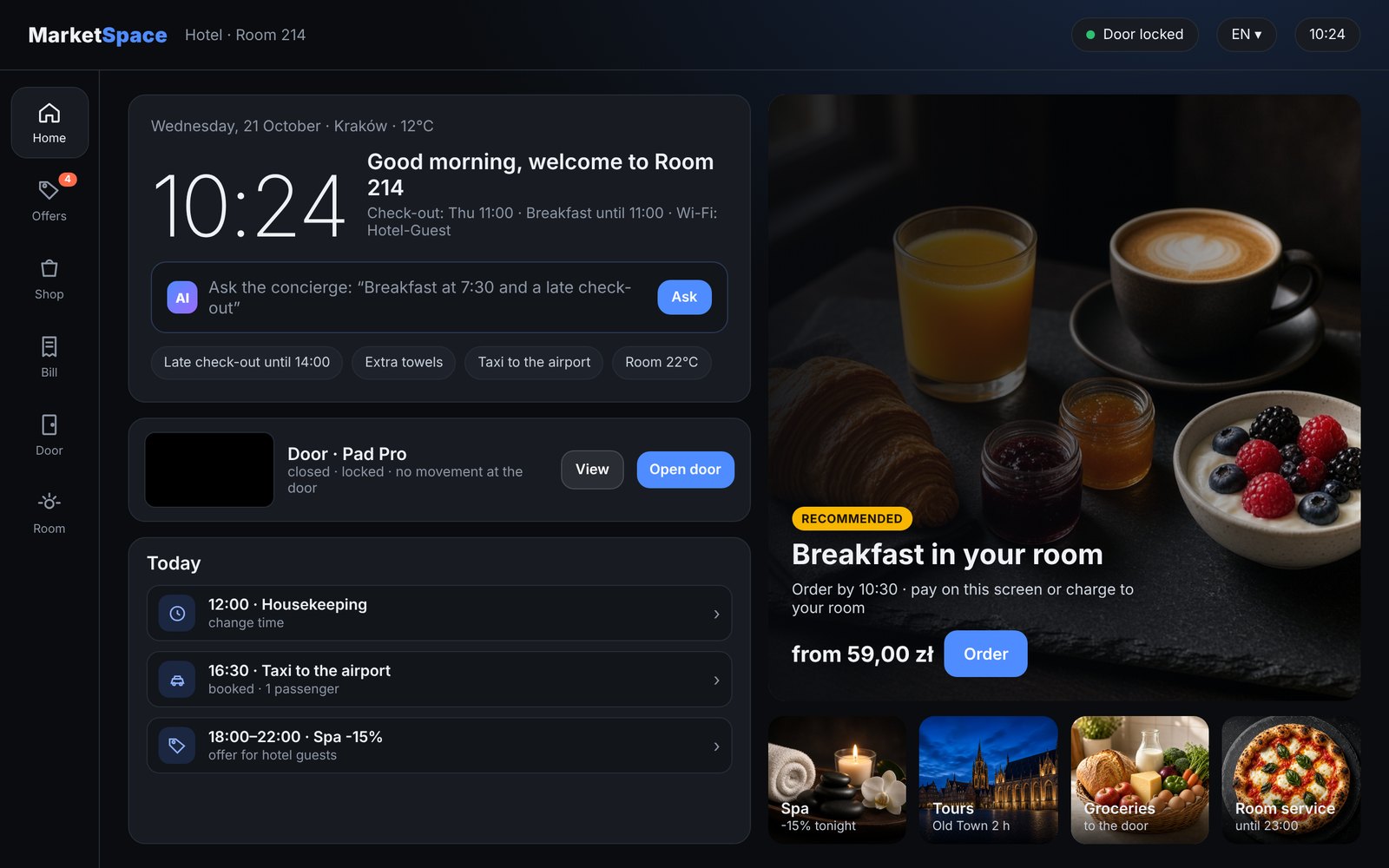
1. Home
Greeting, stay details, the concierge, door status and today’s plan.
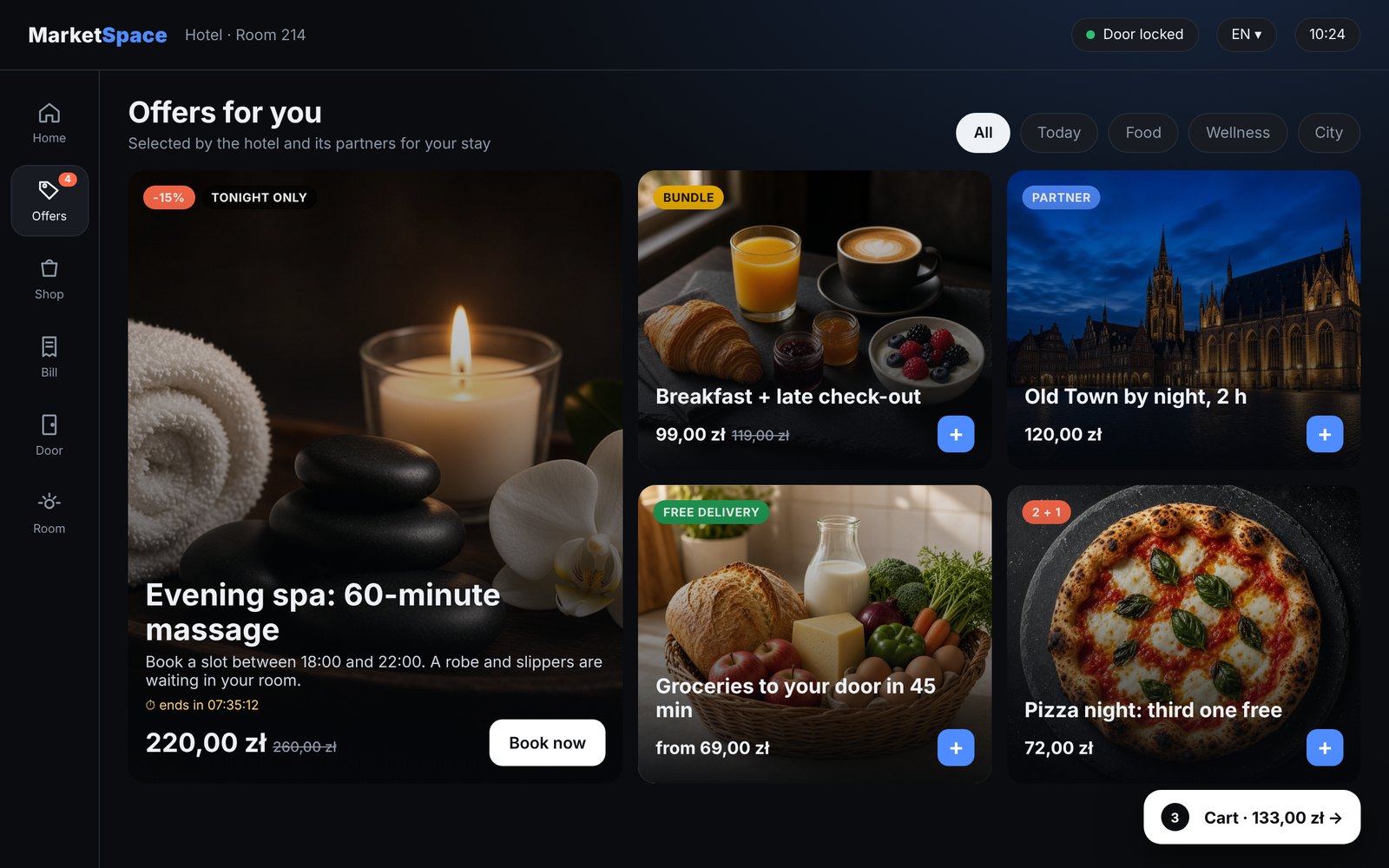
2. Offers
Promotions from the hotel and its partners, shown before the cart: bundles, time-limited deals and partner offers.
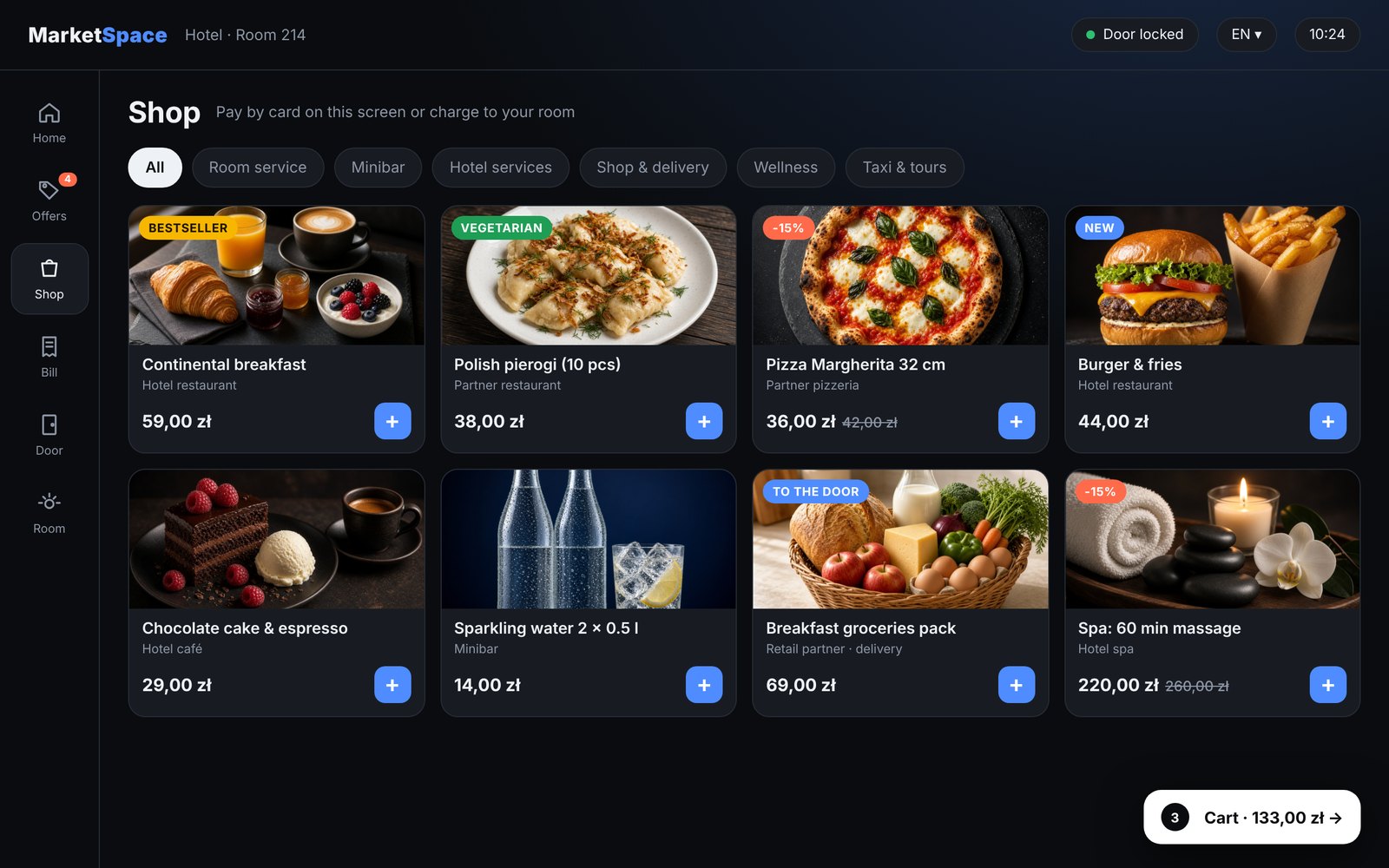
3. Shop
Products as photo tiles with categories and badges; one tap adds them to the cart.
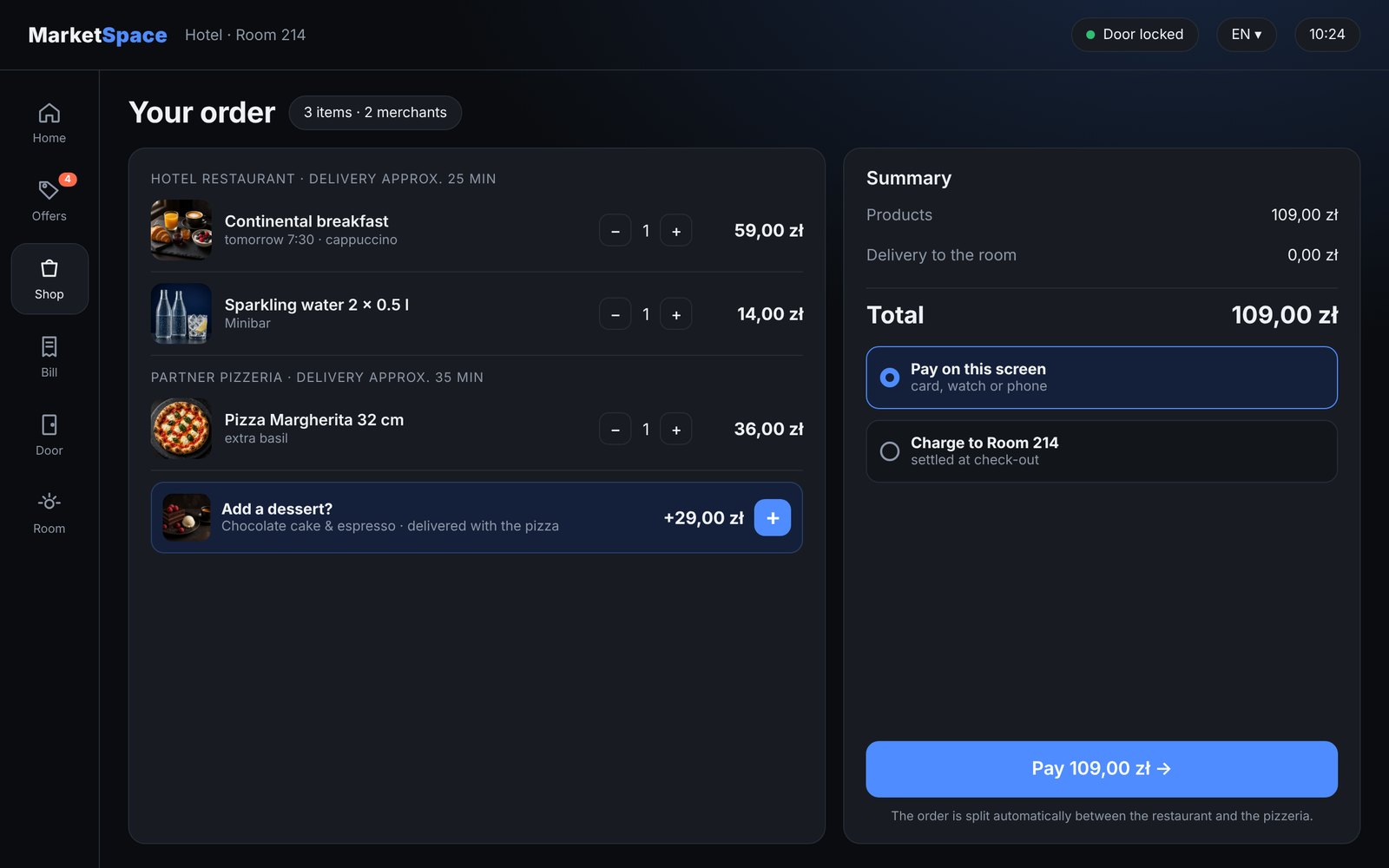
4. Cart
One cart for several merchants, a suggested extra, and the choice to pay on the screen or charge to the room.
The guest side
Everything the guest needs during the stay, on one screen that is always on and always in the room.
- Home: greeting, check-out time, breakfast hours, recommended offers and the concierge
- Offers: promotions from the hotel and its partners, shown before the cart
- Shop: photo tiles in categories such as room service, minibar, hotel services, shop and delivery, taxi and tours
- One cart for several merchants; the guest sees one order status
- Door: status of the lock, live door camera, open the door, doorbell and do-not-disturb
- Bill: what has been ordered and paid during the stay
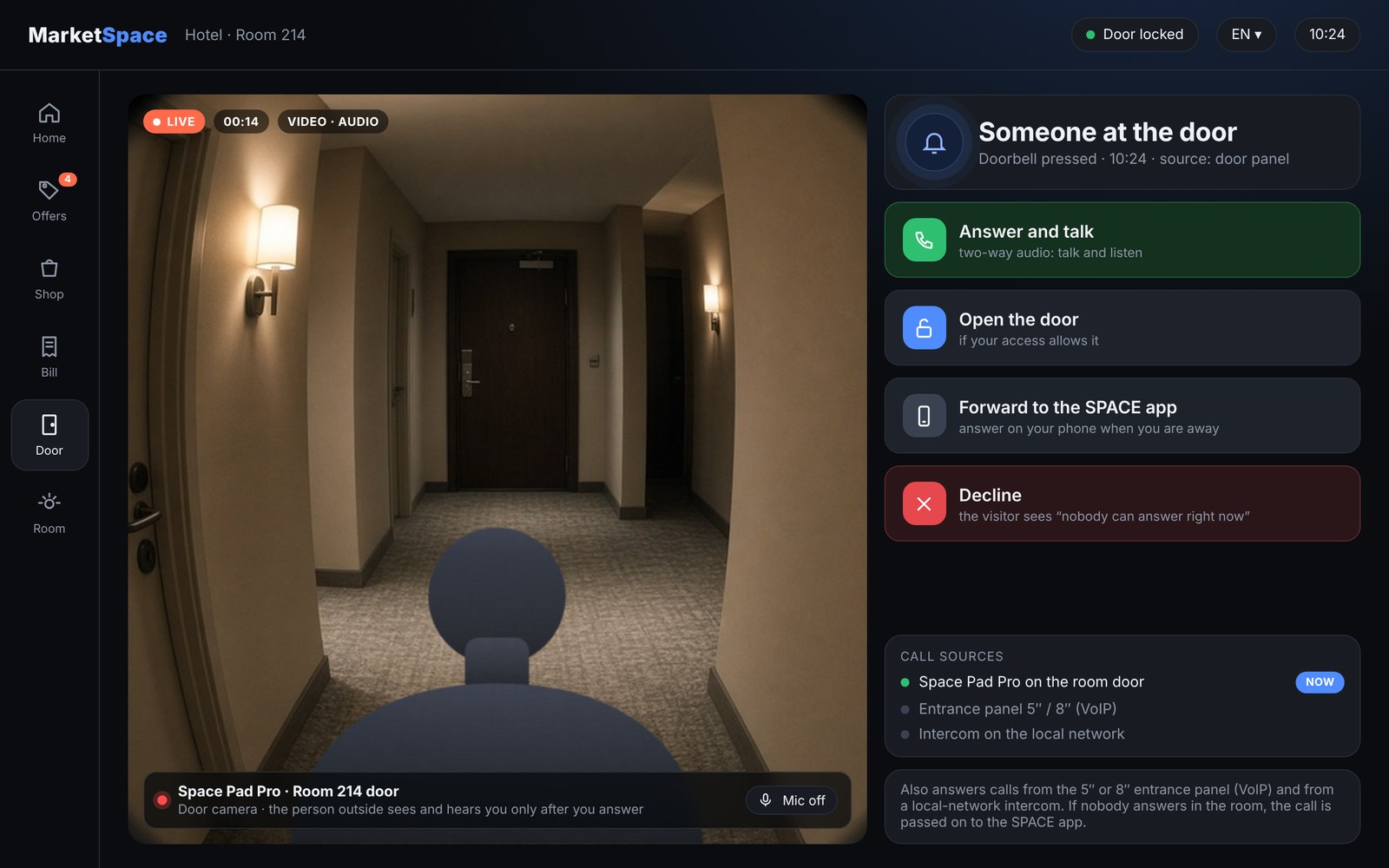
Door viewer and intercom on the screen
Together with the Space Pad Pro door panel, the MarketSpace screen in the room also works as a digital door viewer. When someone rings or knocks, the screen shows who is at the door and the guest decides what to do.
- Live video of the person standing at the door or knocking
- Two-way audio: talk to the visitor and listen
- Open the door from the screen, if the guest’s access allows it
- Forwarding to the SPACE mobile app when nobody is in the room
- Also answers calls from a 5″ or 8″ entrance panel with VoIP, or from an intercom on the local network without VoIP
With an intercom on the local network, forwarding over VoIP is done by the Space Pad Pro on the door: if nobody answers inside, it redirects the call to the SPACE app.
How a door call reaches the guest
1
Entrance panel or intercom
A 5″ or 8″ entrance panel with VoIP, or an intercom on the local network without VoIP.
2
Space Pad Pro on the door
Doorbell, door camera and two-way audio. Forwards the call over VoIP when nobody answers inside.
3
MarketSpace screen in the room
Live video, talk and listen, open the door or decline.
4
SPACE app
When nobody is home, the call goes to the phone.
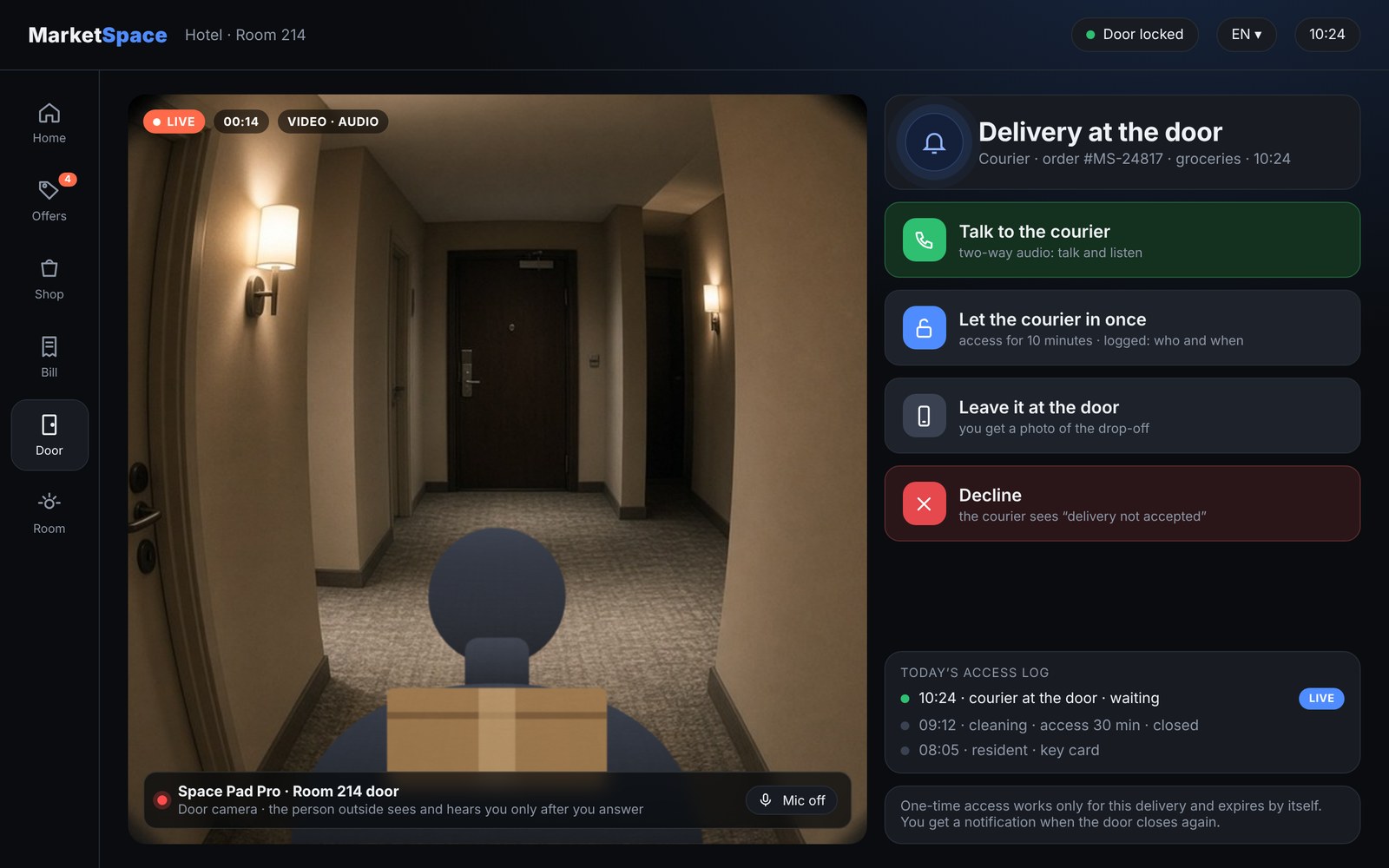
Deliveries: let the courier in once
From the room screen or the SPACE app you see the courier, talk to them and grant one-time remote access, so ordered goods can be left inside the apartment.
- Access is time-limited and expires by itself
- Every access is logged: who opened which door and when
- Works for MarketSpace orders and for any other delivery
Delivery Vault: deliveries and pickups without opening the home (concept)
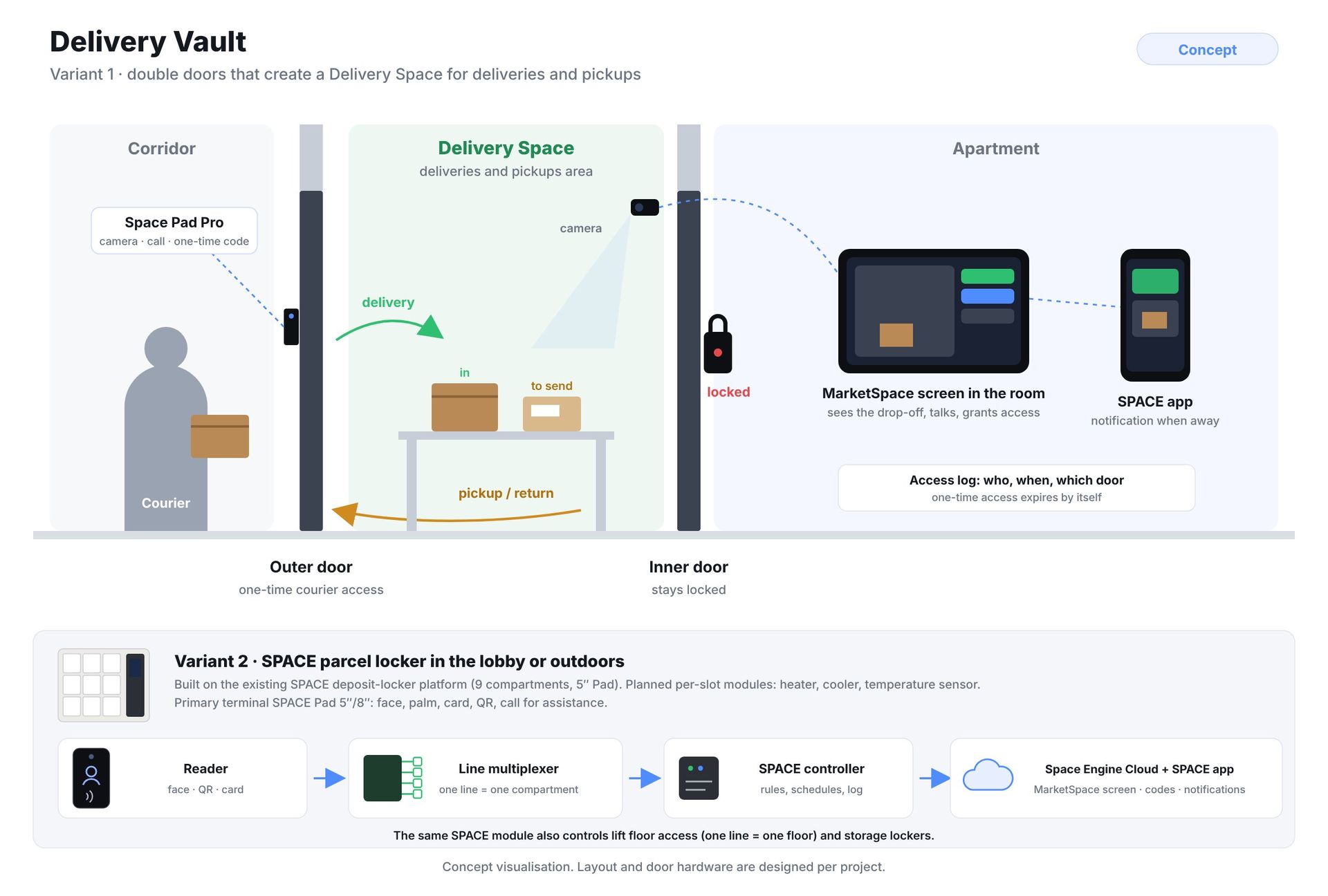
Delivery Vault is a SPACE solution in two variants. Variant 1: double doors designed into the interior. The courier gets one-time access only to the outer door and leaves the parcel in the Delivery Space, the area for deliveries and pickups; the inner door stays locked. Returns and parcels to send wait in the same space for the courier to collect. The resident is notified and sees the drop-off or pickup on camera. Variant 2: the SPACE parcel locker described below. Concept visualisation; layout and door hardware are designed per project.
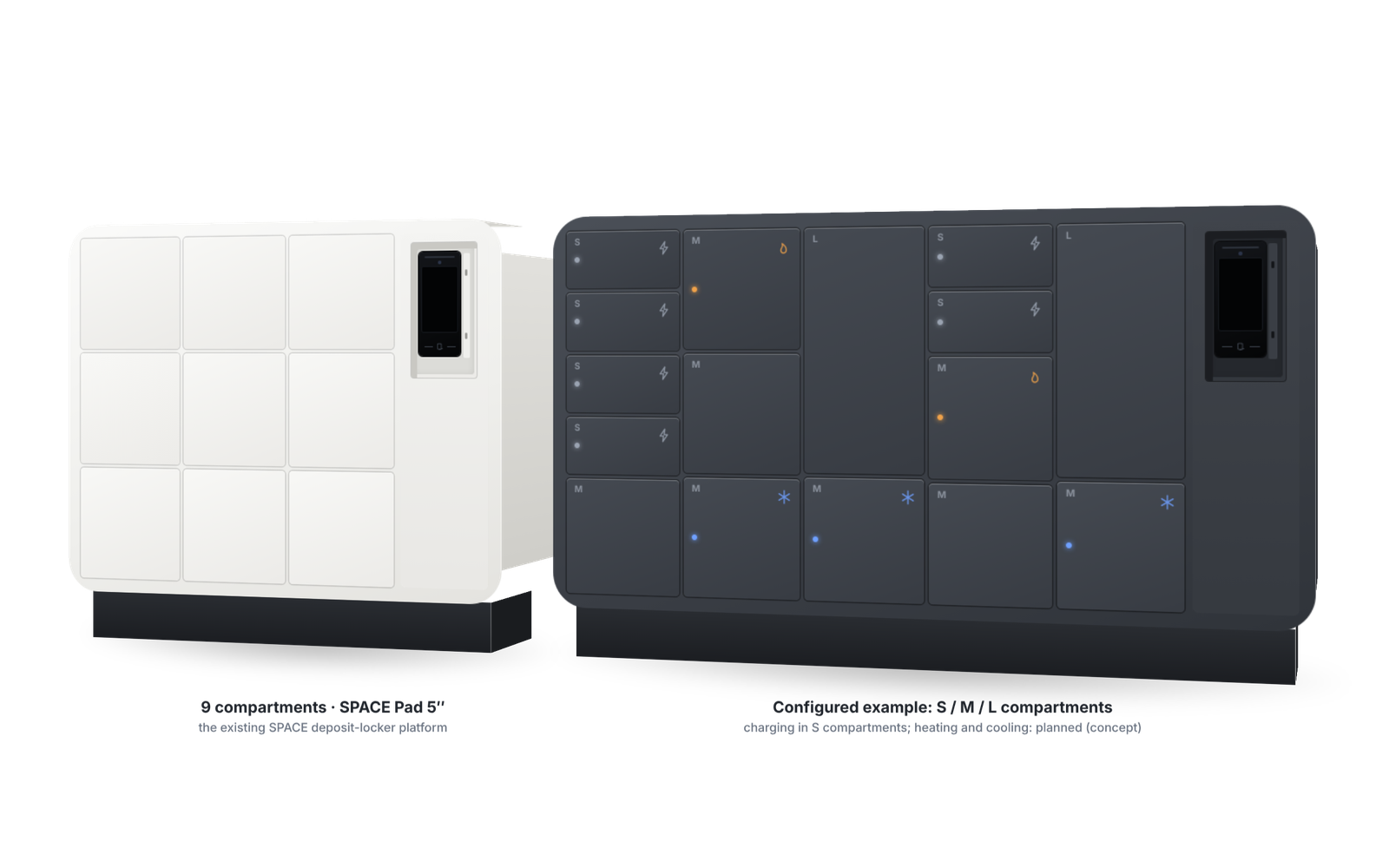
Delivery Vault: SPACE parcel locker, a modular system (visualisation)
The second variant of Delivery Vault is a SPACE parcel locker in the lobby or outdoors, controlled by the SPACE system. It is built on the existing, working SPACE deposit-locker platform, the same one as the SPACE phone deposit locker: a 9-compartment unit with a 5″ SPACE Pad, a line multiplexer and a SPACE controller connected to Space Engine Cloud. Delivery Vault extends it with courier flows and, as planned modules, heated and chilled compartments.
- The courier drops off goods, including MarketSpace orders, or collects returns
- The resident gets a code or opens the compartment from the SPACE app or the room screen
- Configuration: the number of columns and the compartment sizes are chosen per application: S for phones and keys, M for parcels and food, L for larger parcels and luggage; lobby and outdoor versions
- Per-slot modules: phone charging, available in the working unit; heating, cooling and a temperature sensor for food and groceries are planned (concept)
- Every event is logged: drop-off, pickup, opening
- Primary terminal: SPACE Pad 5″ or 8″ with face recognition, palm scan, card and QR code, plus a call-for-assistance button for a video or VoIP call to reception, building staff or the resident. These are the reasons the Pad is the primary terminal rather than the compact reader
- Palm scan and face recognition are used only with the user’s explicit consent, in line with GDPR; card, QR code or app remain available without biometrics
- Where a compact unit is enough: a SPACE reader (face, QR code, card) instead of the Pad
- The same kit (reader or sensor → SPACE PRO controller with LAN, Wi-Fi or 4G → line multiplexer) also opens individual lockers, cabinets and higher-security storage, such as equipment stores and staff deposits: optional two-person authorisation, a full event log, door and tamper sensors, and offline operation through the edge controller
How it is controlled: reader → line multiplexer (one line = one compartment) → SPACE controller → Space Engine Cloud, app and MarketSpace screen. The same SPACE module also controls lift floor access (one line = one floor) and storage lockers.
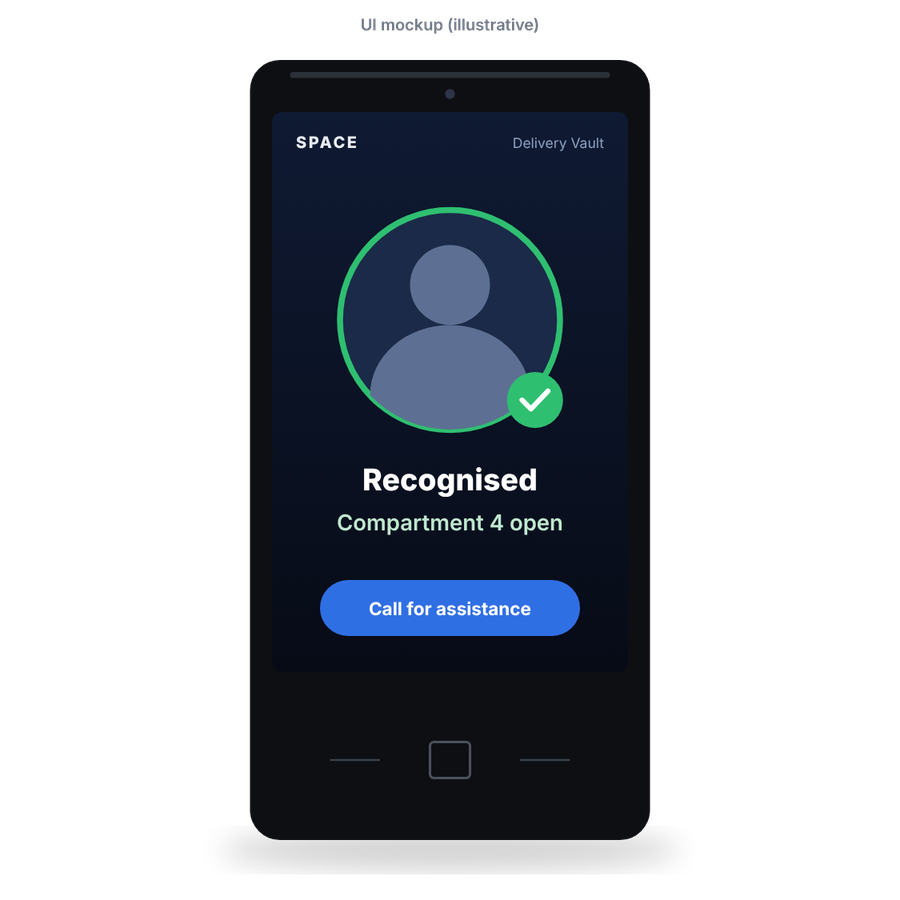
UI mockup: Recognised – compartment 4 open. In the product renders the Pad screen is shown off; the 5″ Pad is inserted from behind into a recessed niche in the terminal column.
The working platform behind Delivery Vault
The SPACE deposit locker already works: 9 compartments, a 5″ SPACE Pad, line multiplexers and a SPACE controller connected to Space Engine Cloud. Delivery Vault adds courier flows and new compartment modules.
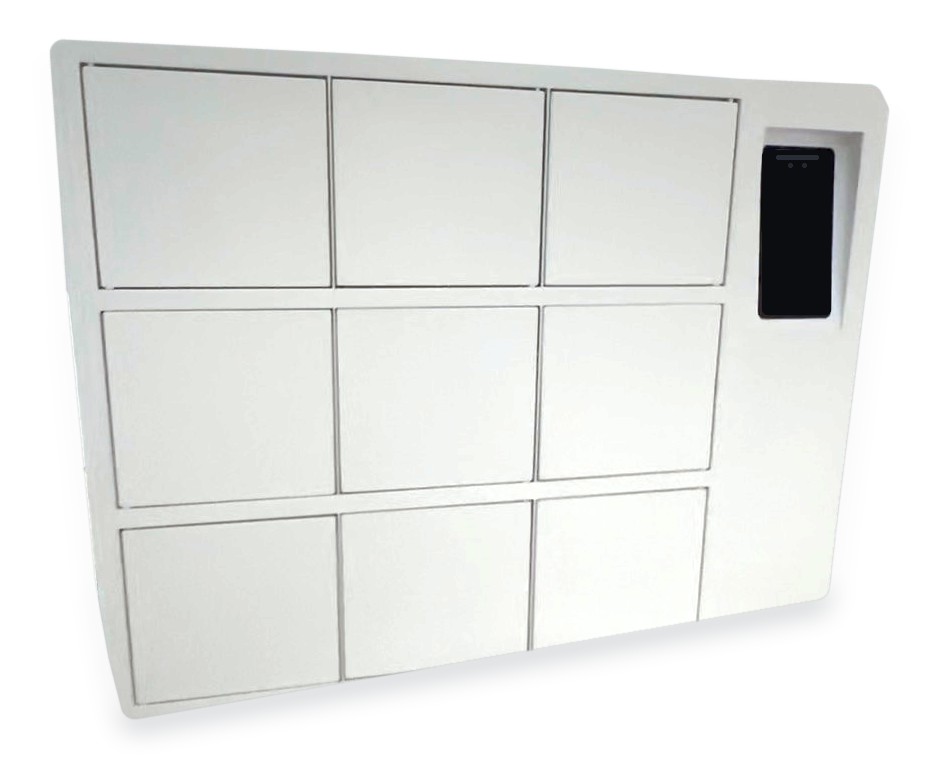
Front view: 3 × 3 compartments and the recessed 5″ Pad (working unit)
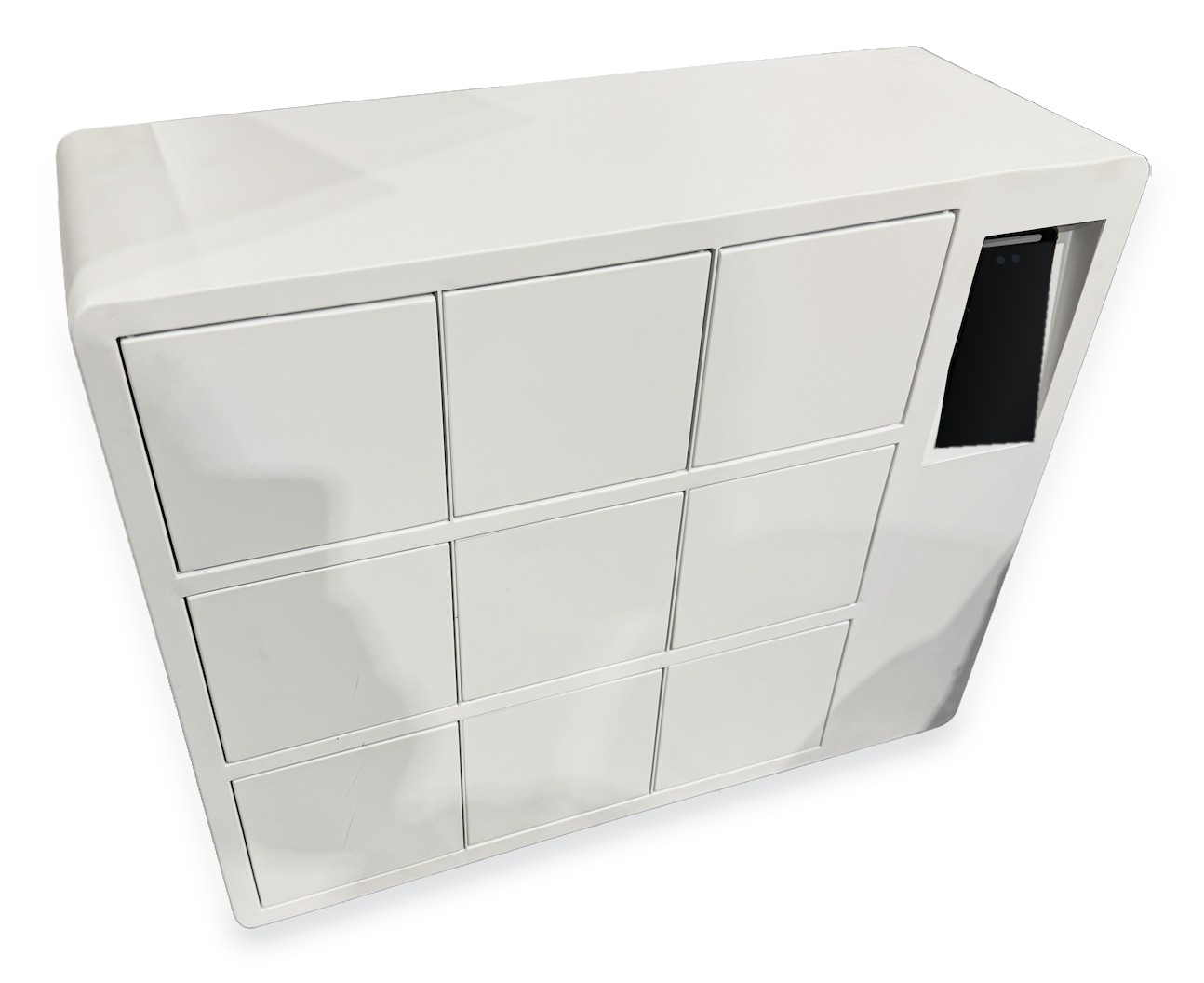
SPACE deposit locker, 9 compartments with 5″ Pad (working unit)
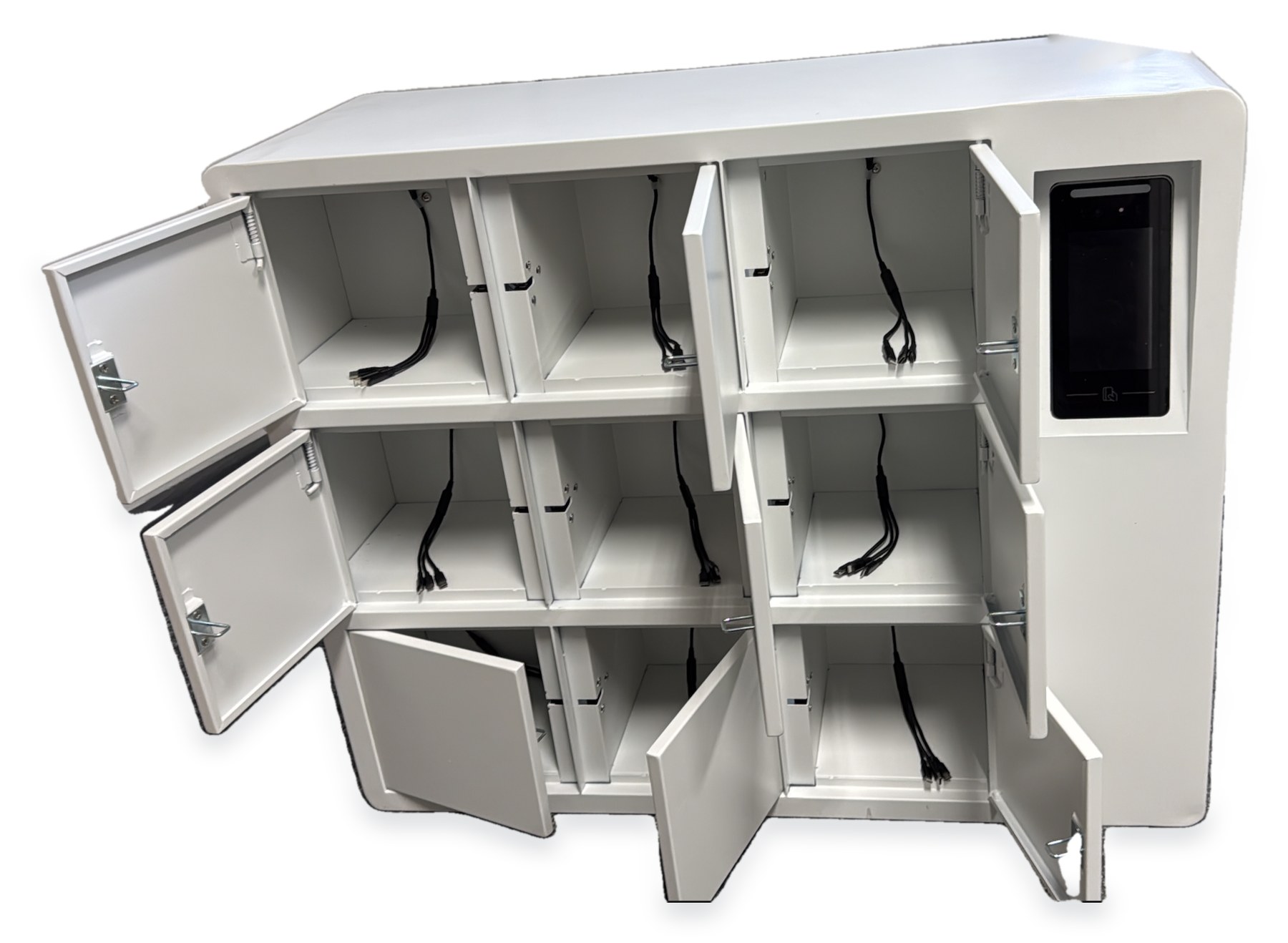
Compartments with charging modules (working unit)
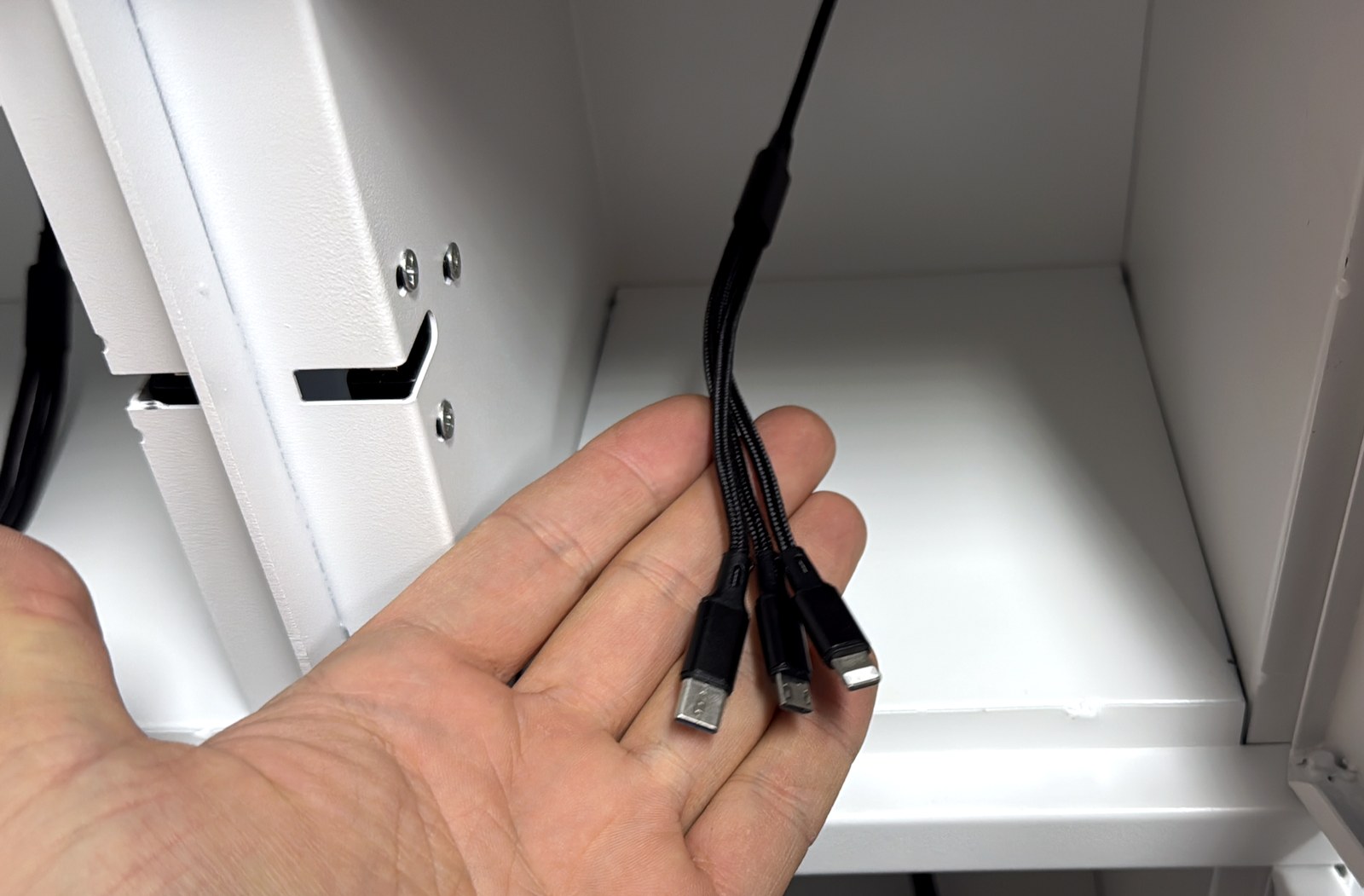
Built-in phone charging in every compartment (USB-C, Lightning, micro-USB)
How Delivery Vault is built
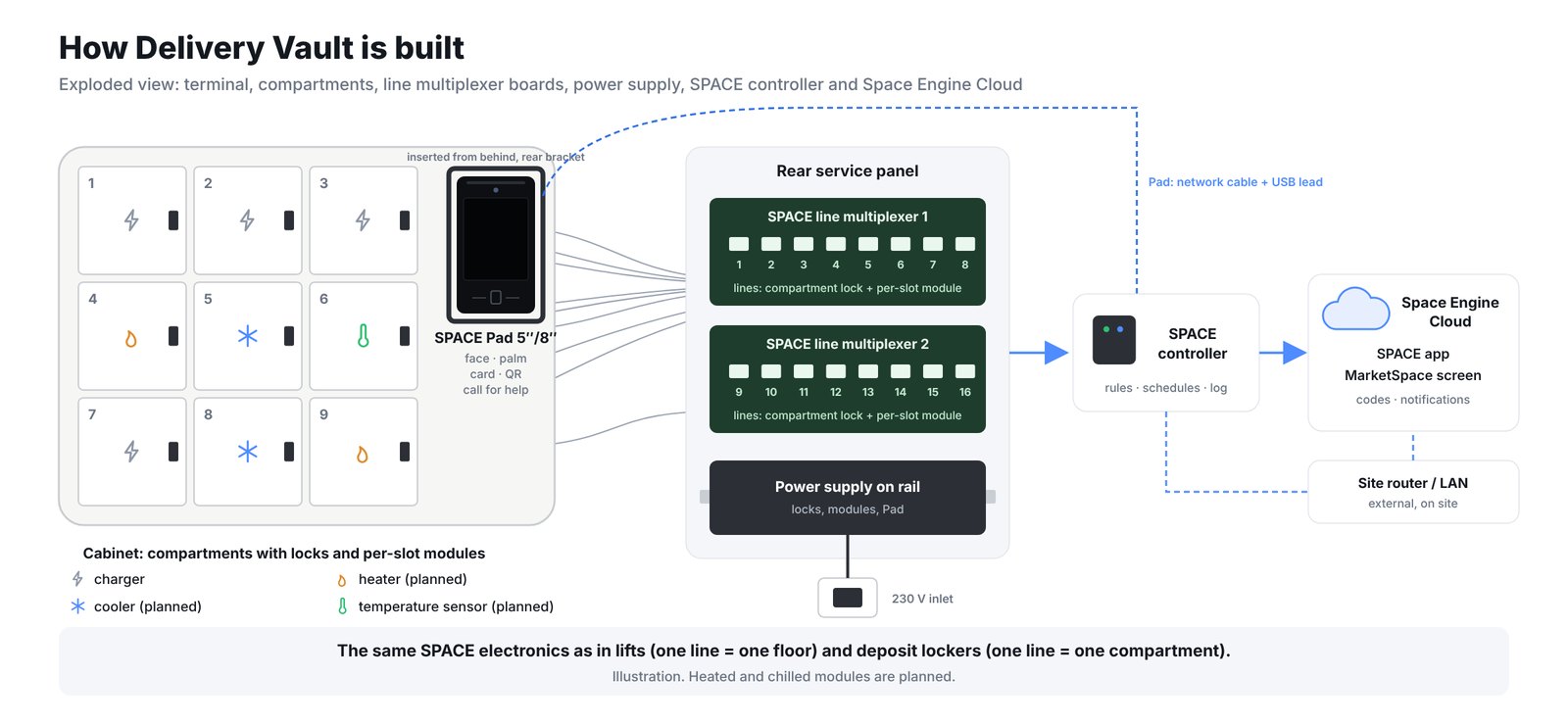
Same SPACE electronics as in lifts and deposit lockers: the Pad terminal, line multiplexer boards with one line per compartment lock and per-slot module, a power supply and the SPACE controller connected to Space Engine Cloud, the app and the MarketSpace screen.
How biometric opening works
Delivery Vault integrates with a delivery partner’s app or with SPACE apps through the API. Biometrics are used only with the user’s explicit consent.
1
Order or deposit
Created in the locker web app, in a delivery partner’s app or in a SPACE app.
2
Permission via API
Person, compartment and time window go through the API to Space Engine.
3
Space Engine → Pad
Space Engine pushes the permission to the Pad at the locker.
4
Opening and log
The recipient opens the compartment by face or palm, with QR code or card as a fallback; the event is logged.
Payments in two separate lanes
Card payments run in the terminal’s payment application. The MarketSpace app passes on only the amount and the order number and never has access to card data. Building data and card data never share a lane.
- Contactless card, watch or phone, with PIN on glass only when the card asks
- Charge to the room bill through the PMS, or to the tenant account for monthly fees
- Payment in the card’s home currency for foreign guests where the acquirer partner offers it
- Receipt on screen or by e-mail
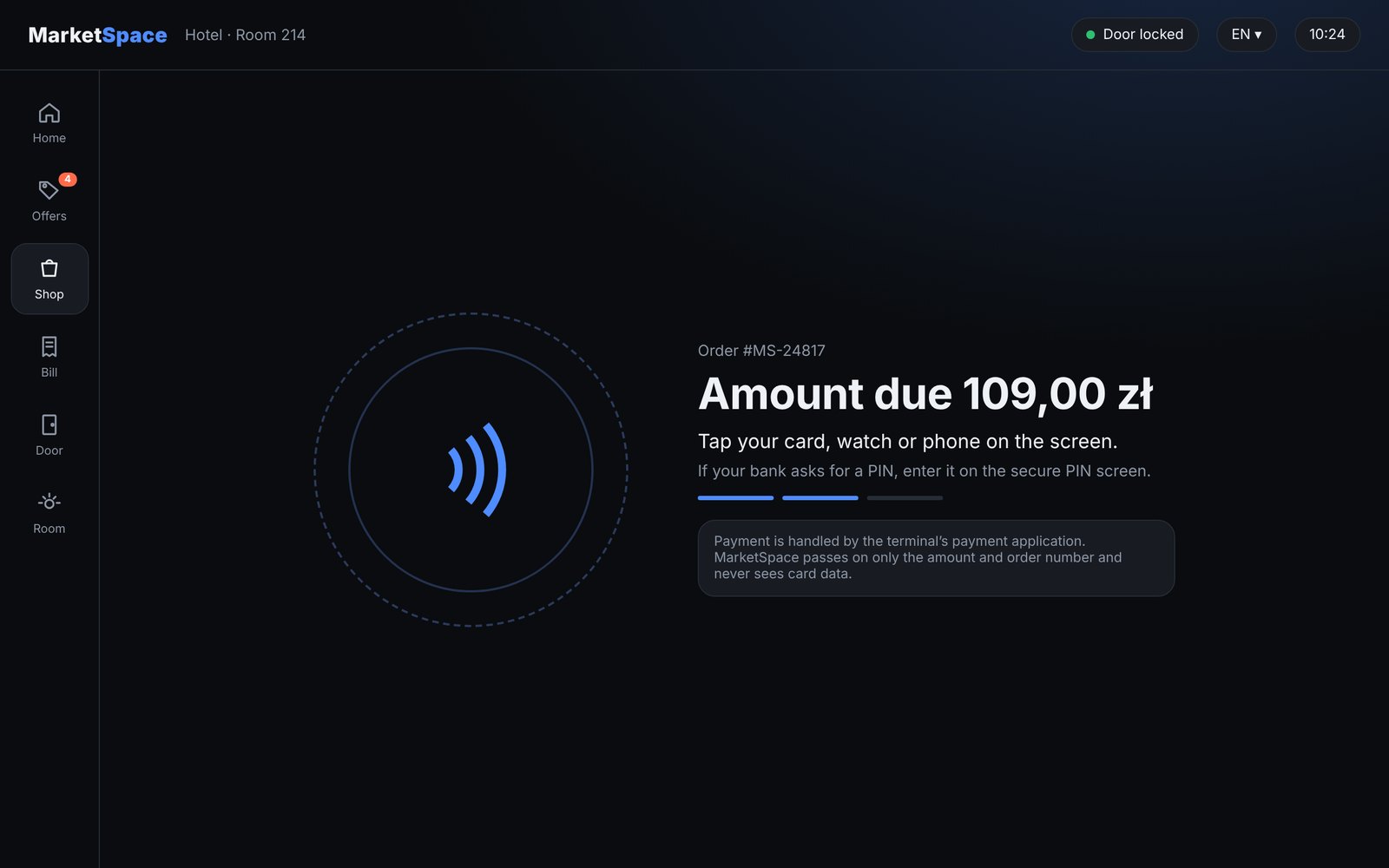
Building data in one lane, card data in another
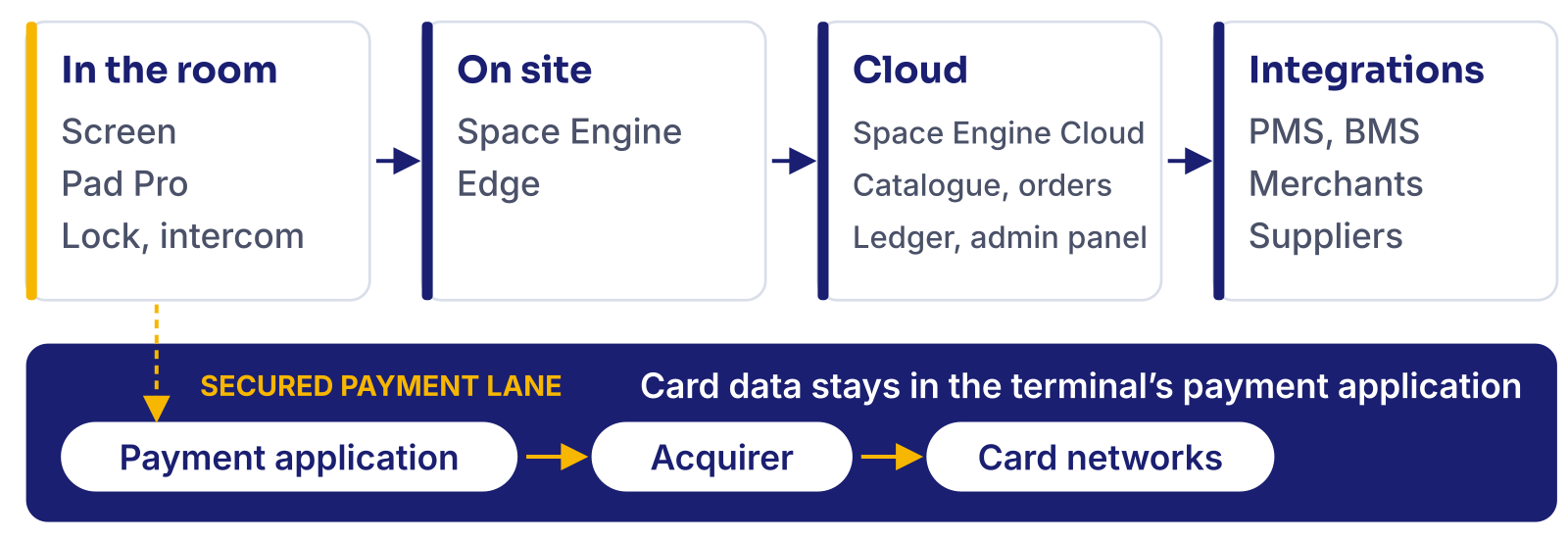
In-room devices talk to the on-site Space Engine Edge server. Space Engine Cloud runs the MarketSpace catalogue, orders, ledger and admin panel and connects PMS, BMS, merchants and suppliers. The payment application on the terminal talks only to the acquirer partner.
One payment core, a form for every kind of door
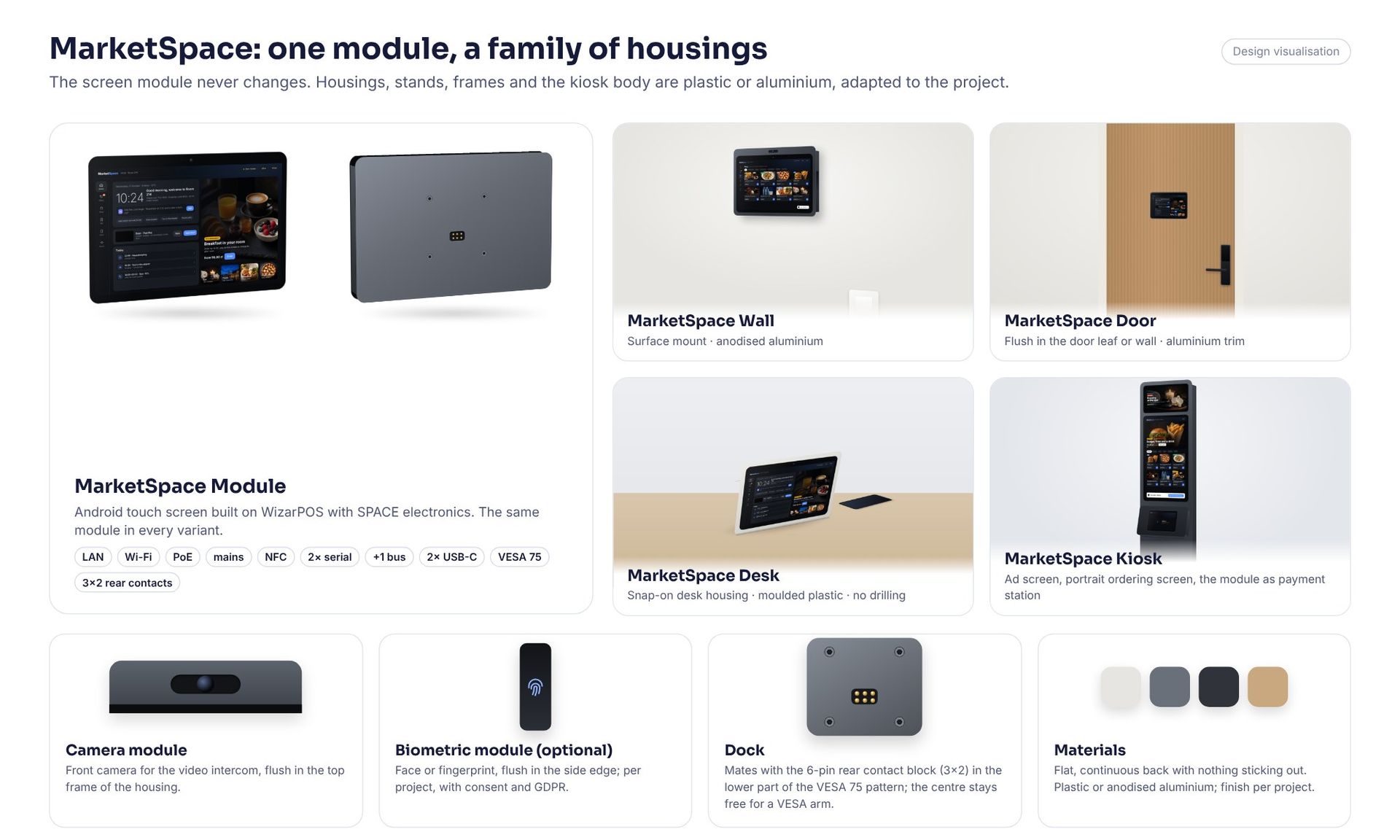
One MarketSpace Module, the same Android touch screen with SPACE electronics, sits in every variant. Only the housing changes: plastic or aluminium, adapted to the project. Images are design visualisations.
MarketSpace Wall
Visualisation. Surface mount by the bed, desk or entrance; aluminium housing, camera module optional.
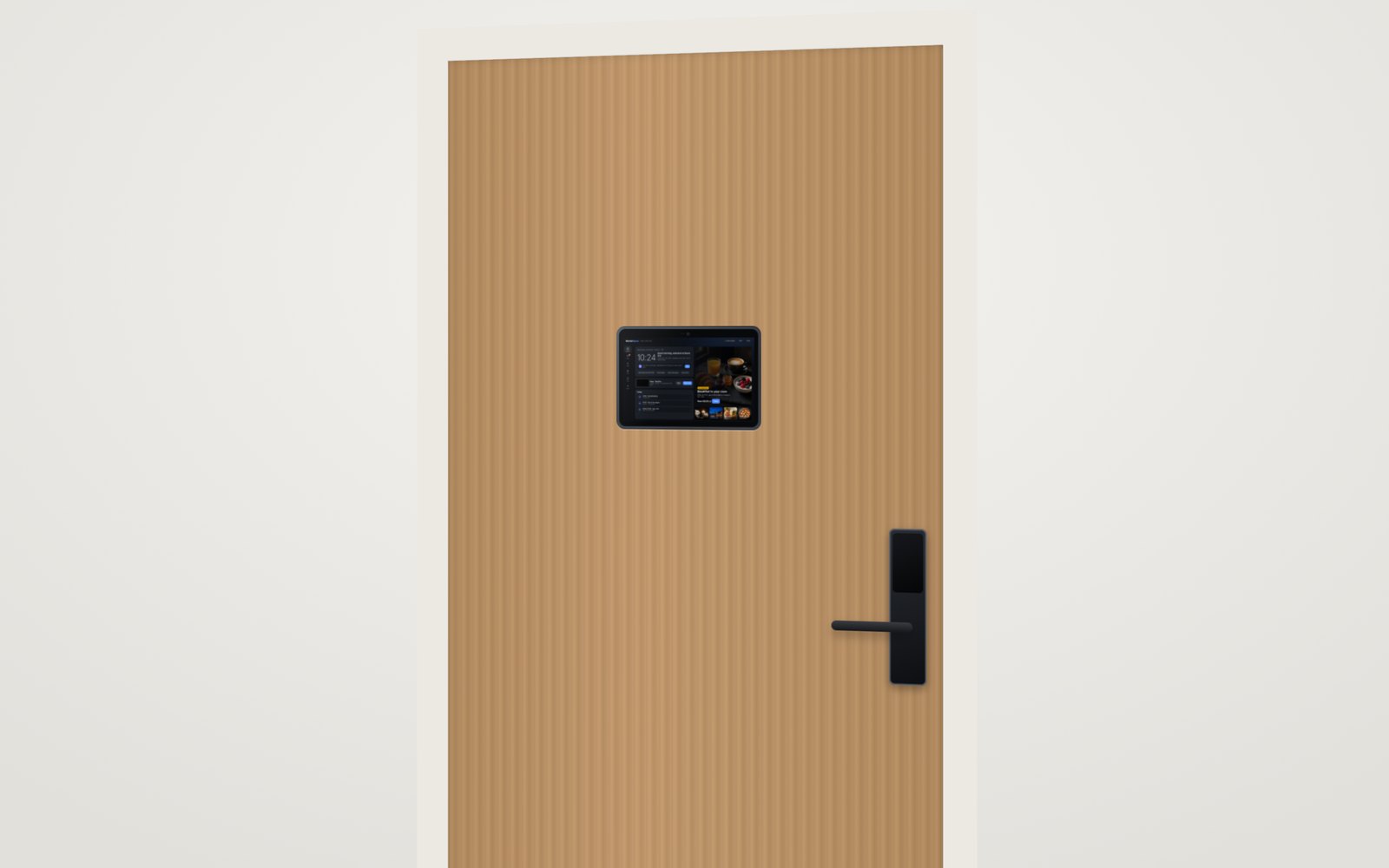
MarketSpace Door
Visualisation. Flush in the door leaf or wall, at eye level, next to the SPACE access panel.
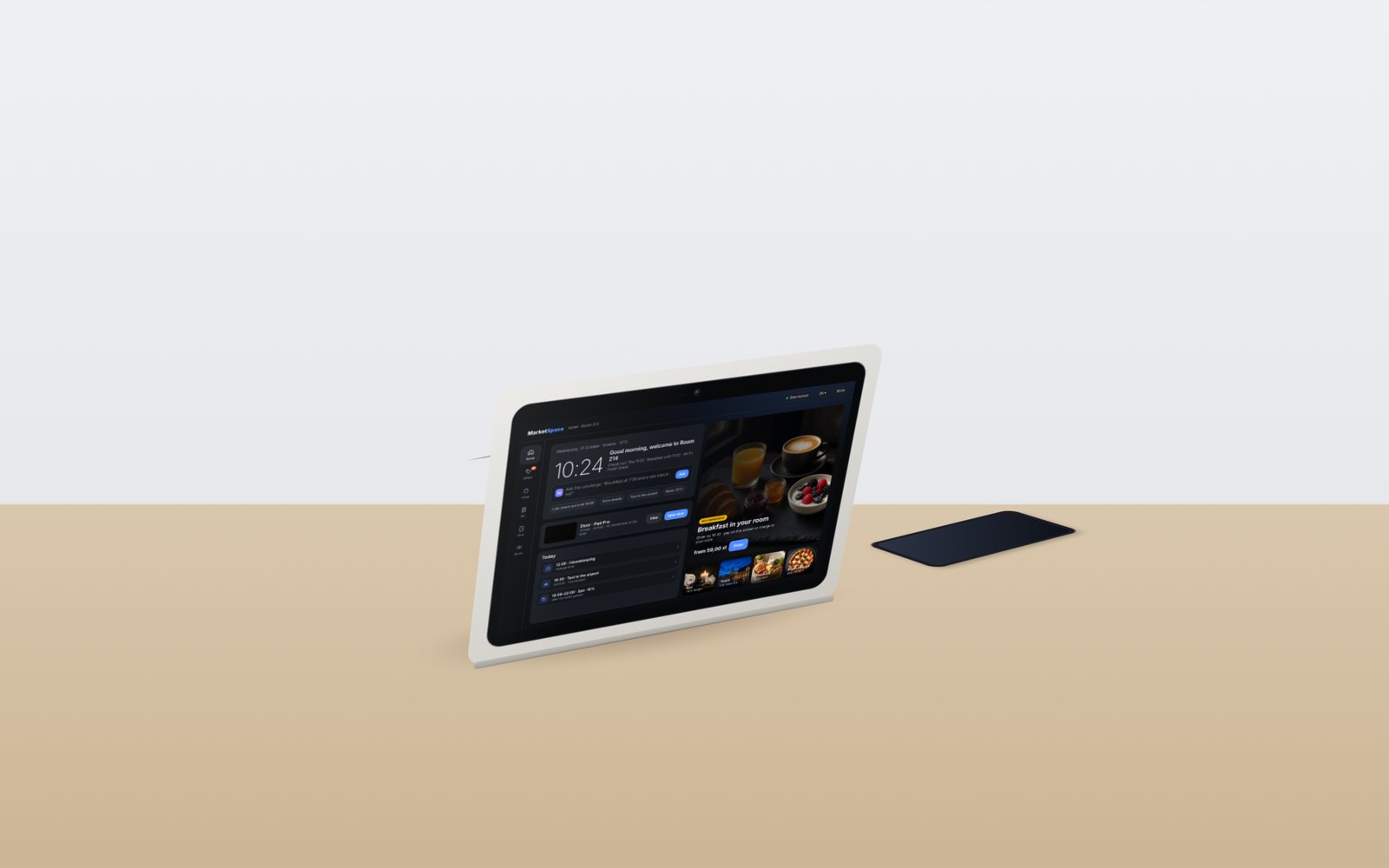
MarketSpace Desk
Visualisation. Snap-on desk housing for rooms, receptions and offices; no drilling.
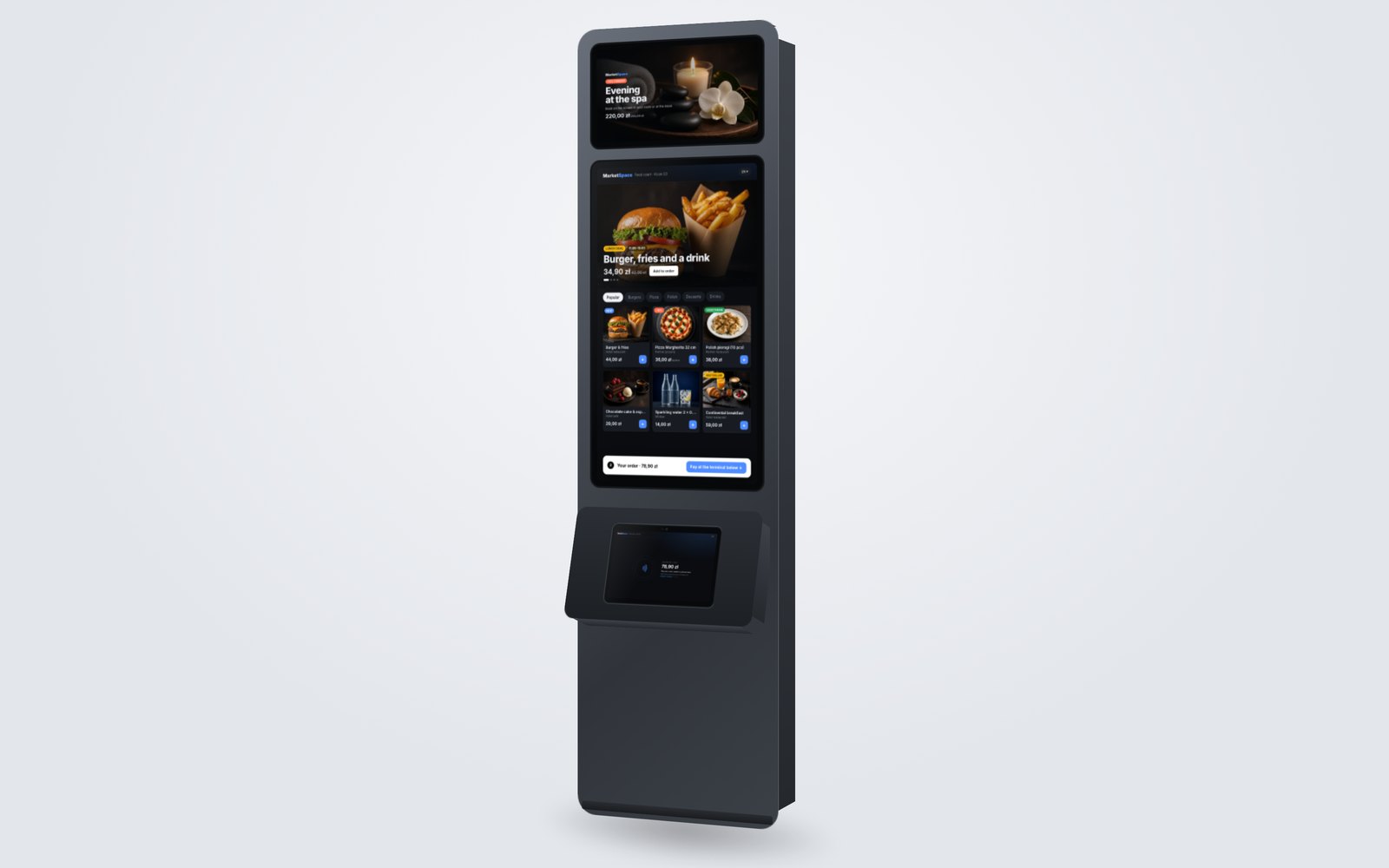
MarketSpace Kiosk
Visualisation. Advertising screen, portrait ordering screen and the same module as the payment station.
One module, a family of housings
Every MarketSpace device uses the same MarketSpace Module: the screen with its electronics, which never changes. The housing, stand or frame around it changes, so one module fits the wall, the door, the desk or the kiosk.
- MarketSpace Wall: surface mount; MarketSpace Door: flush in the door leaf or wall, alongside Space Pad Pro
- MarketSpace Desk: snap-on desk housing, an in-room assistant screen instead of or next to the room phone
- MarketSpace Kiosk: the module as the payment station, with a portrait ordering screen and an advertising screen
- Flat, continuous back: camera and biometric modules sit flush in the frame; VESA 75 mounting points and a 6-pin rear contact block (3×2) for the dock
- Connectivity: LAN and Wi-Fi; power over PoE or from a mains socket
Housings in plastic or aluminium, adapted to the project. Designed for contactless and PIN-on-glass card payments in the terminal’s payment application. Images are design visualisations.
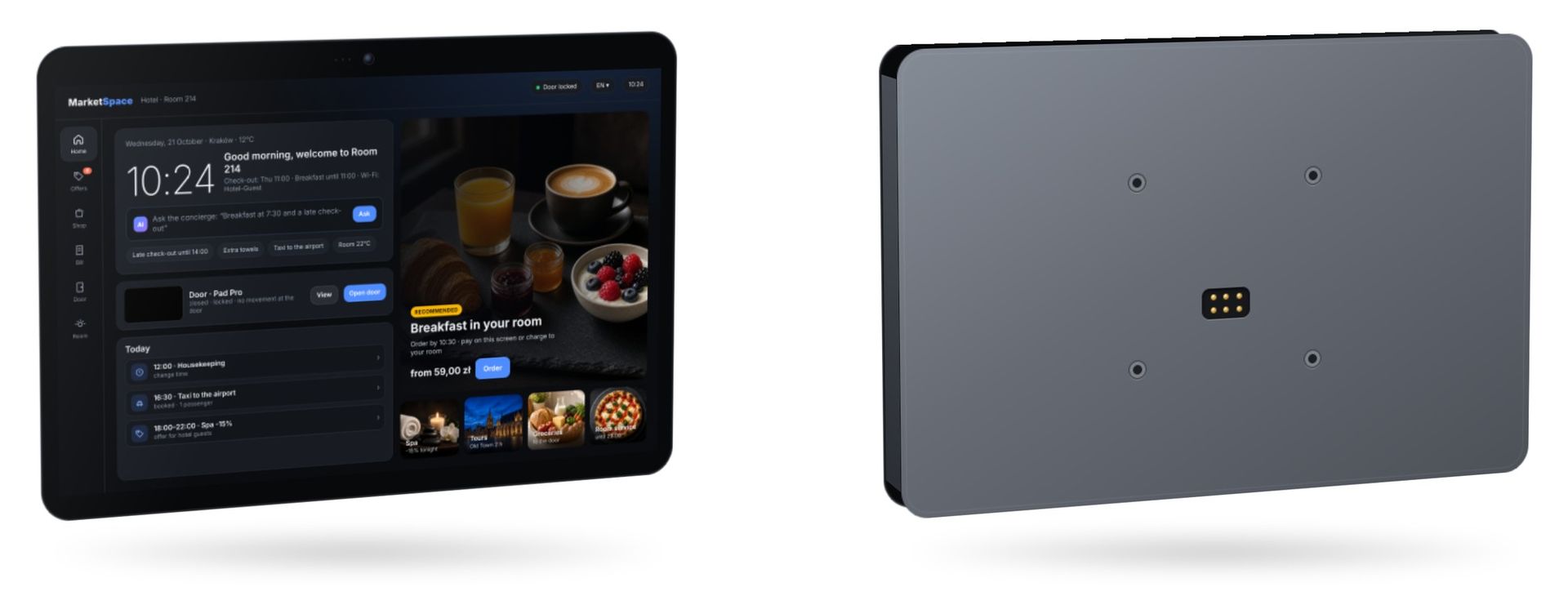
Base module (visualisation): the front with the MarketSpace interface and a flat, continuous back with VESA 75 mounting points and a 6-pin rear contact block (3×2). Nothing sticks out, so it is easier to clean and less exposed to damage.
Expandable with SPACE modules
Two free serial ports, an additional bus and two USB-C ports let the module take dedicated SPACE modules, the same ones used in other SPACE devices.
Front camera
A front camera module for the video intercom at the door, connected in the same way as the camera and intercom interface in SPACE door sets.
Biometric module (optional)
A face or fingerprint module on the side edge of the housing, per project. Biometric functions are switched on by configuration, only with consent and in line with GDPR.
Other SPACE sensors and readers
Sensors and readers from the SPACE range, connected to the main board and chosen for each project.
No drilling in branded hotels
In 4- and 5-star hotel chains nothing new can be fixed to the room structure unless it is written into the brand standards. The desk version goes into the room without touching walls or doors.
- Stands on the desk instead of or next to the room phone
- Power from PoE or a mains socket, network over LAN or Wi-Fi
- The same desk form works at receptions, in offices and in clinics
- When the room is refurbished, the same module can move to a wall or door housing
In the door leaf
For new buildings the screen can be designed into the door leaf at eye level, next to the SPACE access panel.
Portable
A hand-held concierge screen for premium residences and suites, prepared per project.
Self-service kiosk
A portrait kiosk with a lower payment module and an additional advertising screen, for lobbies and public spaces.
Designed into the door, not added later
Built into the door leaf, the screen becomes part of the door set together with the lock and the SPACE access panel. Architects and door makers can specify it at design stage, in the finish of the door.
Space Pad ProAccess control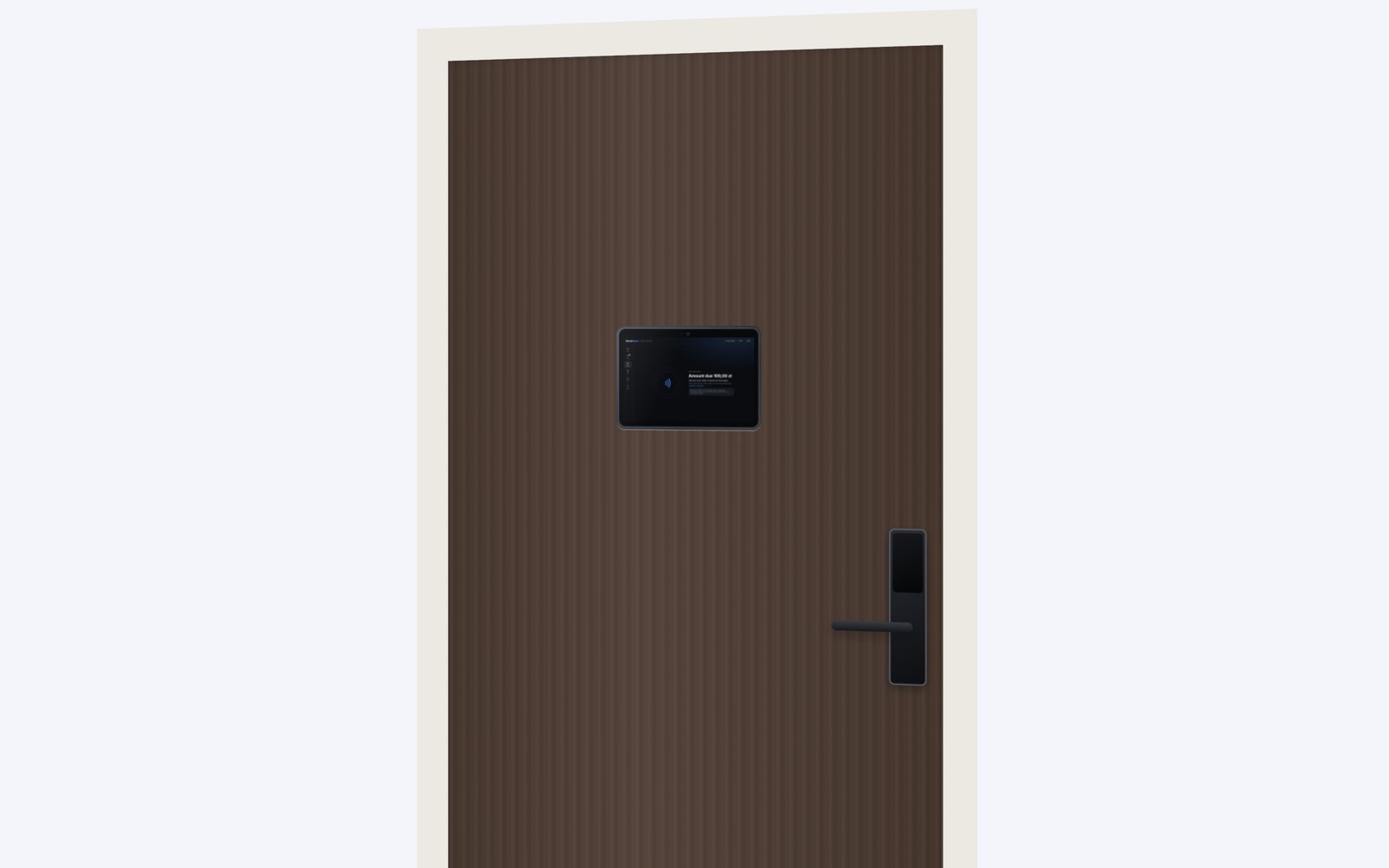
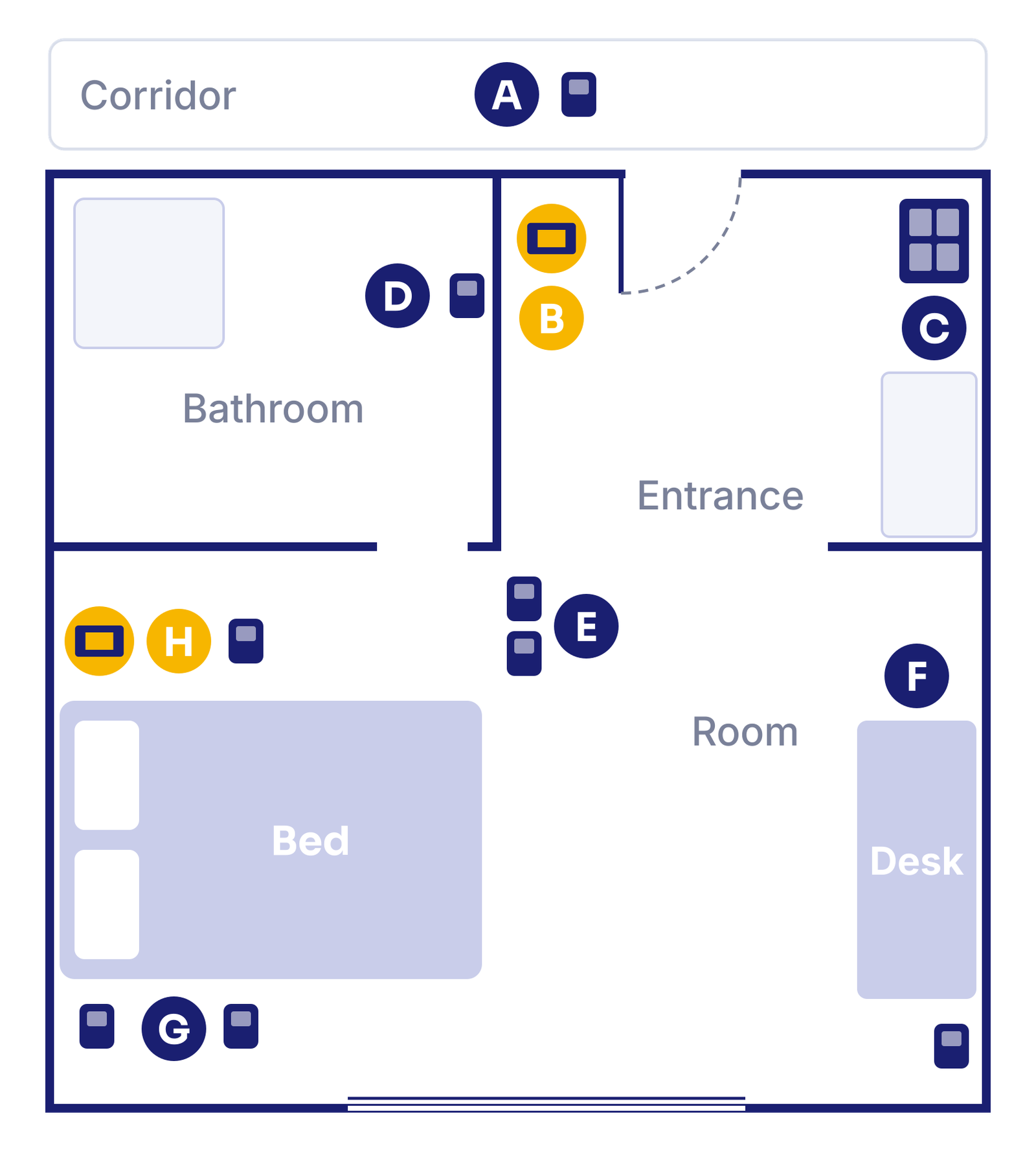
Inside one hotel room: one platform from corridor to bed
Room control, access and MarketSpace payments work as one room platform with one cloud.
- A: corridor information panel
- B: entrance with the MarketSpace screen, buttons and key-card switch
- C: room box with the controller, 230 V expansion, 12 V supply and cloud gateway (PoE)
- D: bathroom buttons and SOS button
- E: main panel with buttons and thermostat
- F: desk sockets with USB
- G, H: bedside MarketSpace screen, buttons and USB sockets
Up to 16 active modules per room controller.
Technical overview
Screen
11-inch Android touch screen, the MarketSpace Module, in the Wall, Door, Desk and Kiosk variants. Housings in plastic or aluminium, adapted to the project.
Hardware
An Android payment screen with SPACE electronics and an NFC reader. The screen module stays the same; SPACE designs the housings and modules around it.
Payment
Contactless payments directly on the device: card, phone or smartwatch (tap to pay), plus payment to the room bill. Visa, Mastercard, Maestro, American Express, BLIK, Apple Pay, Google Pay and DCC. Card acceptance via a licensed acquiring partner chosen for each project; card payments with the PIN on the screen are on the roadmap for 2027.
Expansion
Two free serial ports, an additional bus and two USB-C ports for SPACE modules: front camera, optional biometric module, sensors and readers.
Card data
Handled only by the terminal’s payment application; MarketSpace and Space Engine never see card data.
Building link
LAN or Wi-Fi, power over PoE or from a mains socket. Works with the SPACE door set and intercom indoor unit and with the Space Engine Edge server.
Device management
Remote updates and a device fleet view in the MarketSpace panel: status, room and software version of every screen.
MarketSpace overviewPanel and sales channels
Screen images show the MarketSpace interface with sample content. Final parameters are confirmed in the project documentation.
Want to see the screen in a real room?
We will show the guest side, the payment flow and the door integration on a demo set, or prepare a sample room in your building.
Phone: +48 533 909 533